Wormhole alternative: transfer files without the upload wait
Wormhole solved a real problem: send an encrypted file to another device through the browser, end to end, with no account. The trade is in the architecture — the file is uploaded through a server first and downloaded second, so every transfer costs two trips through the internet and a wait on both ends. When the two devices are on the same network, Lan-Share takes the shorter route: pair the browsers with an 8-digit code and the file moves straight from one device to the other while both sides watch it happen.
Step by step
Open the page on the computer
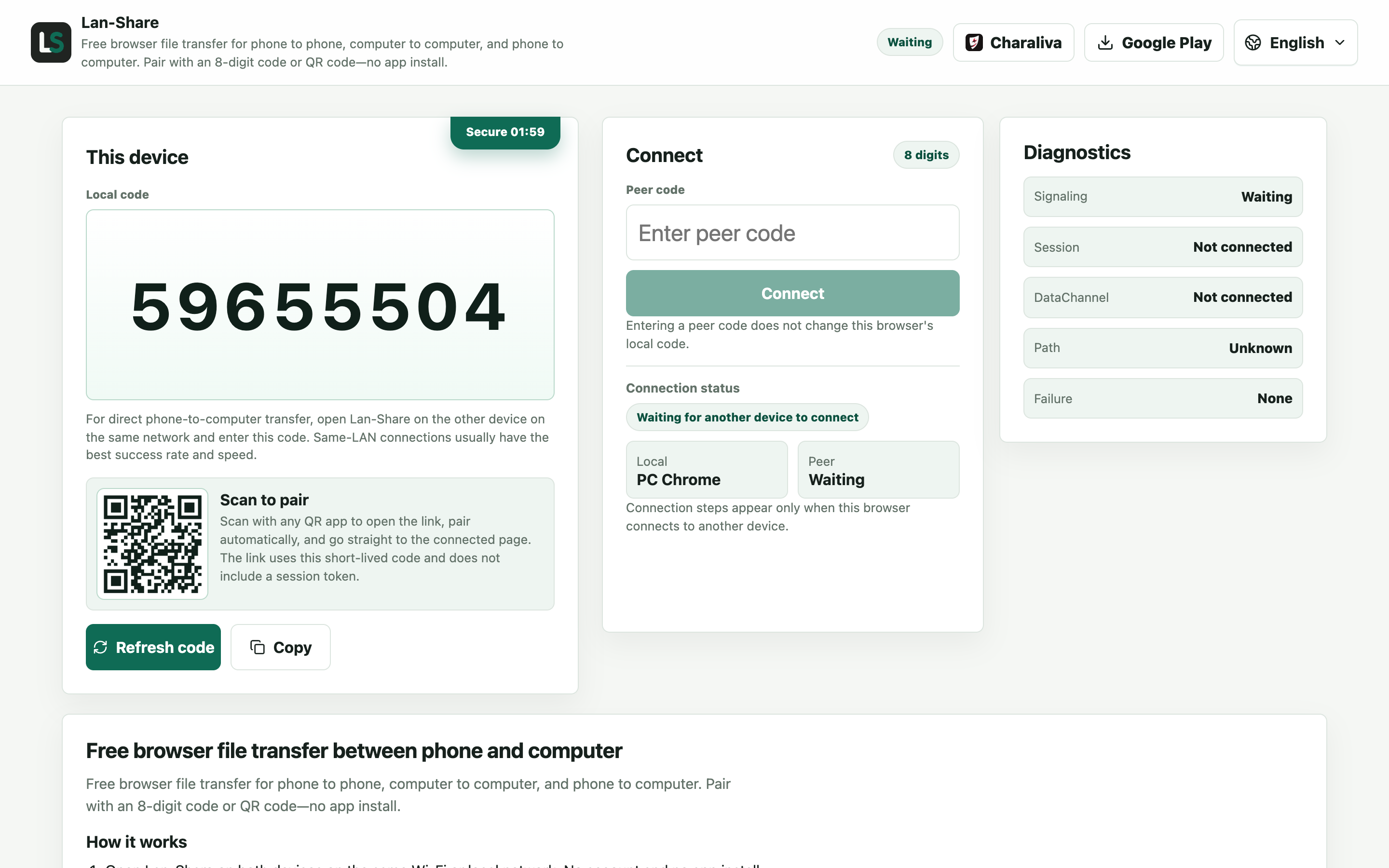
One hop instead of two: the file will travel straight to the phone, with no server in the middle holding it. The page shows an 8-digit code.
Join from the Android phone
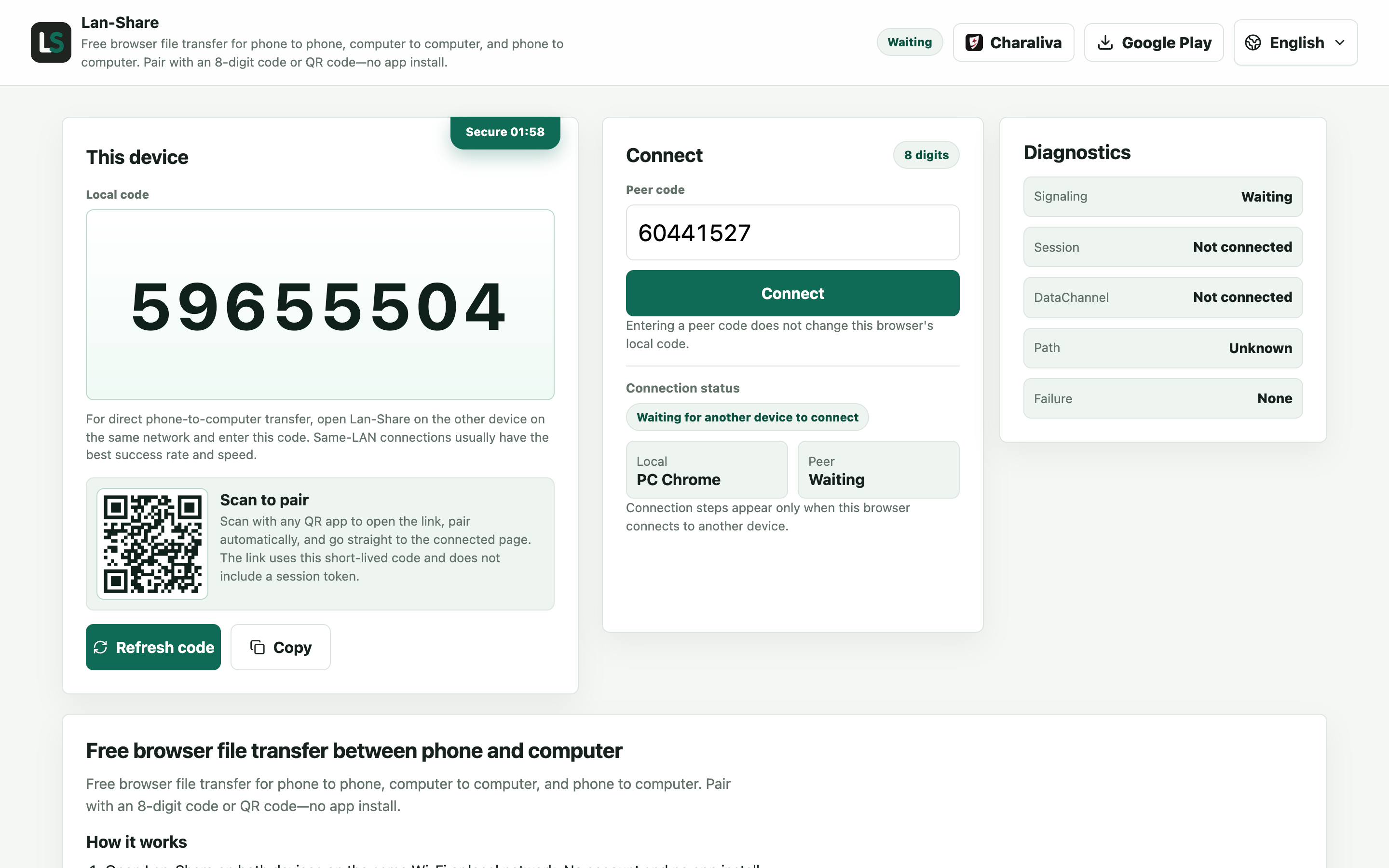
Enter the code in Chrome, or scan the QR code. The two browsers connect directly over the local network.
Send the file
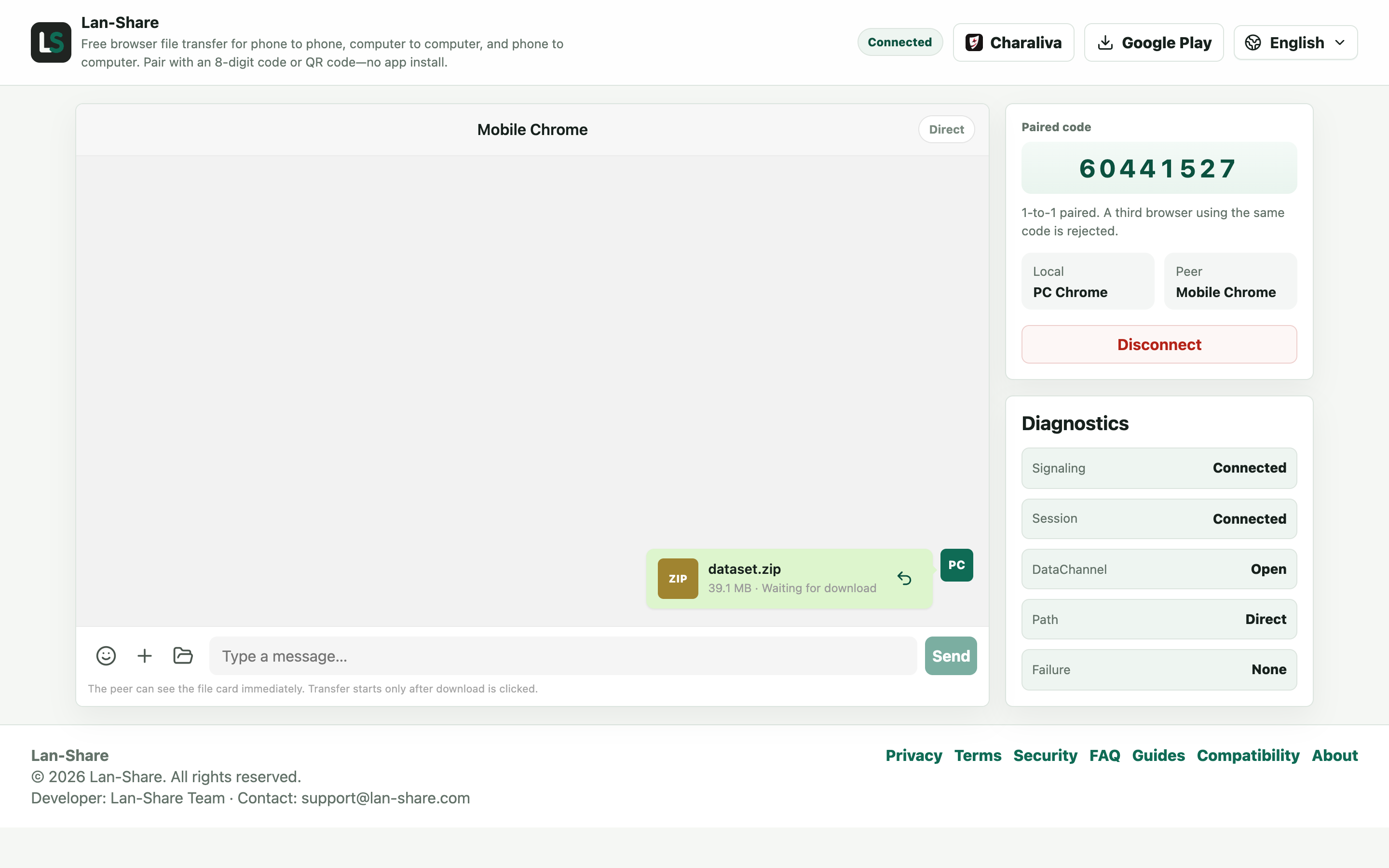
Drop the archive onto the conversation. The card waits on the sender marked Waiting for download — there is no upload wait, because nothing is being uploaded.
Download on the phone
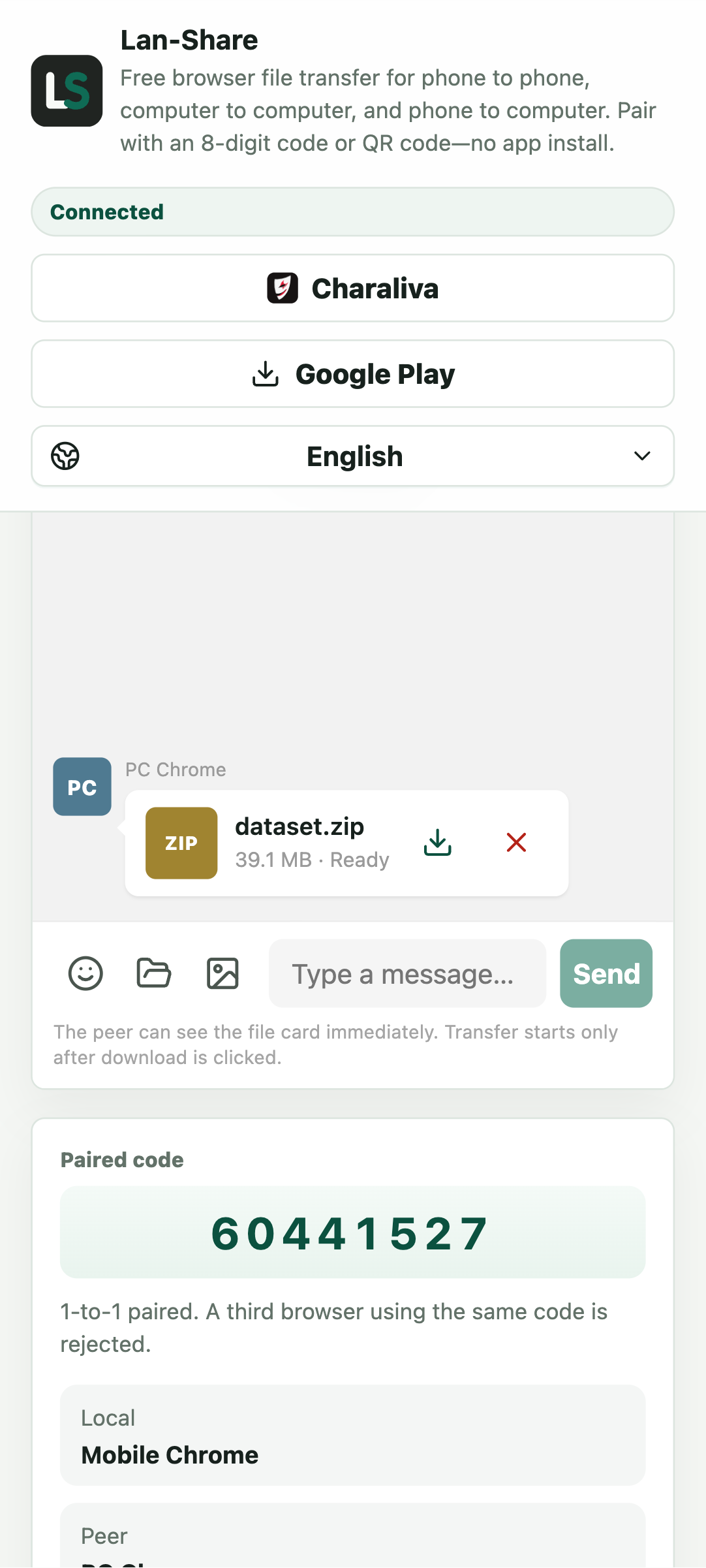
Tap the download icon once the card reads Ready. The transfer runs browser to browser, so the speed follows your local network rather than your upload link.
Two trips versus one hop
A server-side transfer sends your file up to the server, waits there, and delivers it down to the recipient. Lan-Share hops once, inside your local network, at your Wi-Fi speed instead of your connection's uplink. The server still serves the page and pairs the two browsers, but file content never passes through it — no relay, nothing stored, and no link to expire while you watch the progress bar.
When Wormhole is still the right tool
When the recipient is remote, Wormhole's encrypted cross-internet transfer is exactly what you want. When a single file is bigger than a session's per-file limit (about 200 MB by default, shown on the page), splitting it across a link may be easier. For same-network transfers, a direct hop is faster and leaves nothing behind.
Troubleshooting
- The recipient cannot open the page
Why it happens This route only works when both devices are on one network; a remote recipient needs a server-based service instead.
How to fix it For someone in another city, use a cloud transfer service; for the same room, pair here.
- The transfer stops when the screen locks
Why it happens Both iOS and Android suspend a backgrounded browser tab.
How to fix it Keep both pages in the foreground until the last file reads Downloaded.
- A large file is refused
Why it happens The per-file limit is shown on the page, about 200 MB by default.
How to fix it Send it on its own, or split it first.
- The upload icon never appears
Why it happens Nothing is uploaded here — the file goes straight to the other browser, so there is no progress bar to wait on.
How to fix it Watch the file card instead: it turns Ready on the receiving side.
FAQ
What is Wormhole good at?
Encrypted, account-free file transfer across the internet through the browser, with links that expire.
What does Lan-Share do differently?
It is deliberately local: two browsers pair with an 8-digit code and the file moves directly over the local network — no upload, no link, no server copy.
Is direct transfer faster than uploading?
On the same network, yes. There is no upload to a server and no download from one, so the only speed limit is your local Wi-Fi, not your internet uplink.
Is there a file size limit?
Each session has a per-file limit, shown on the page (about 200 MB by default).
Can I send files to someone far away?
No. Lan-Share is local-only and direct-only; for cross-internet transfers, use an encrypted web transfer service like Wormhole.