Send files from iPhone to Android (and Android to iPhone)
AirDrop is Apple-only, Quick Share is Android-first, and neither one talks to the other. When a photo needs to move between an iPhone and an Android phone, the fastest clean route is a browser: both phones open Lan-Share, one scans the other's QR code, and the file moves directly over the network they already share.
Step by step
Open lan-share.com on the Android phone
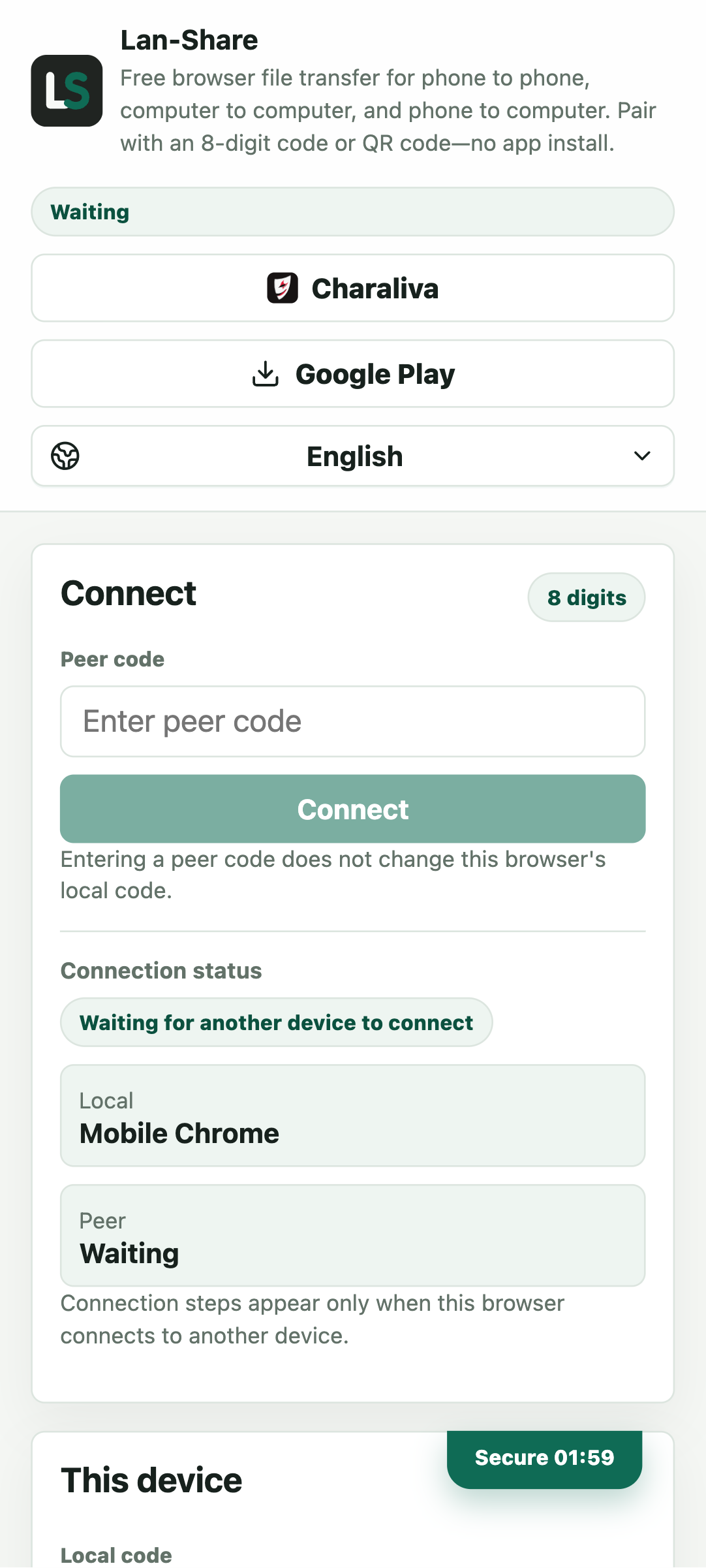
Chrome on Android shows This device with an 8-digit Local code and a QR code below it. The countdown in the corner is how long the code stays valid, so read it out or scan it before it runs out.
Join from the iPhone
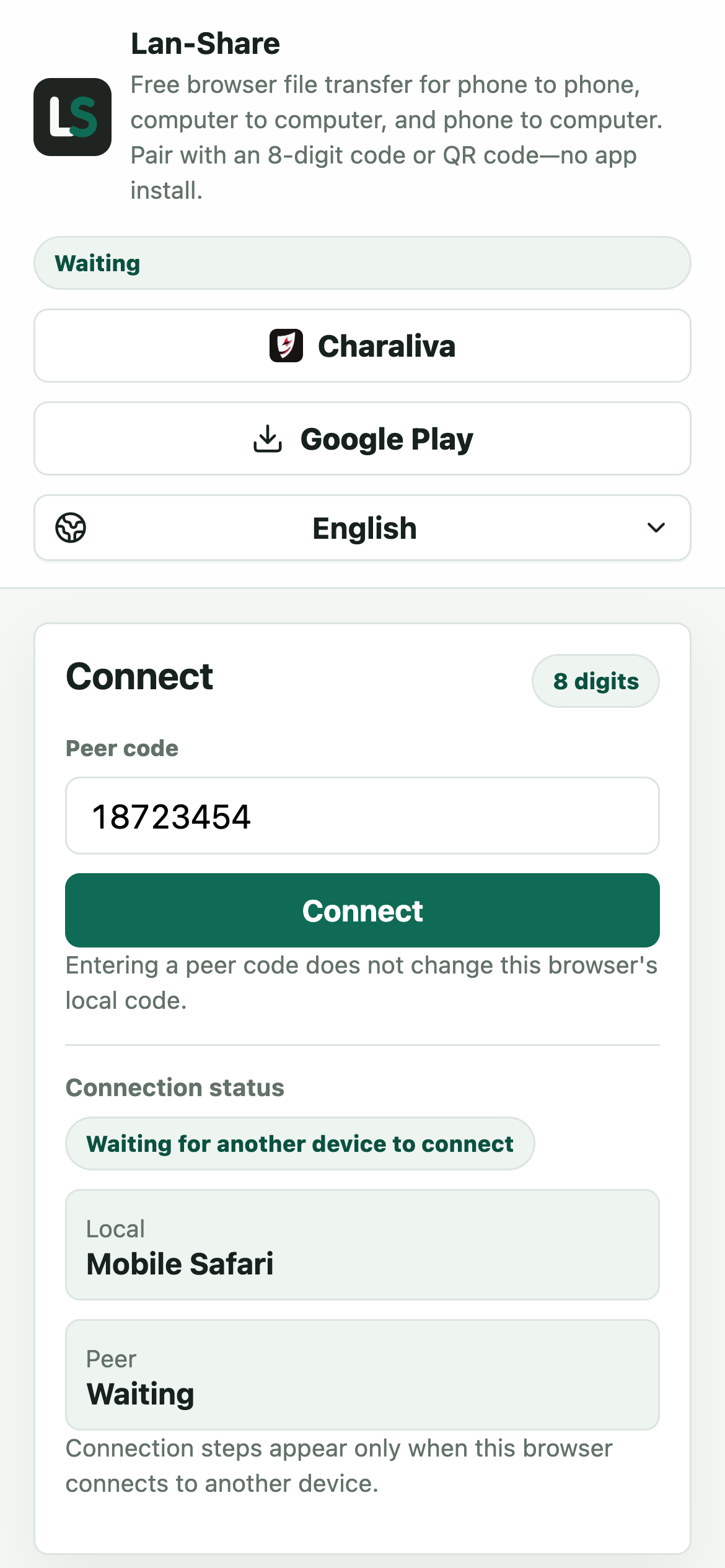
In Safari on the iPhone, type the same 8 digits into Peer code and tap Connect. Scanning the QR code with the Camera app also works: the link opens the page already paired. The iPhone keeps a local code of its own; this direction does not use it.
Pick what to send
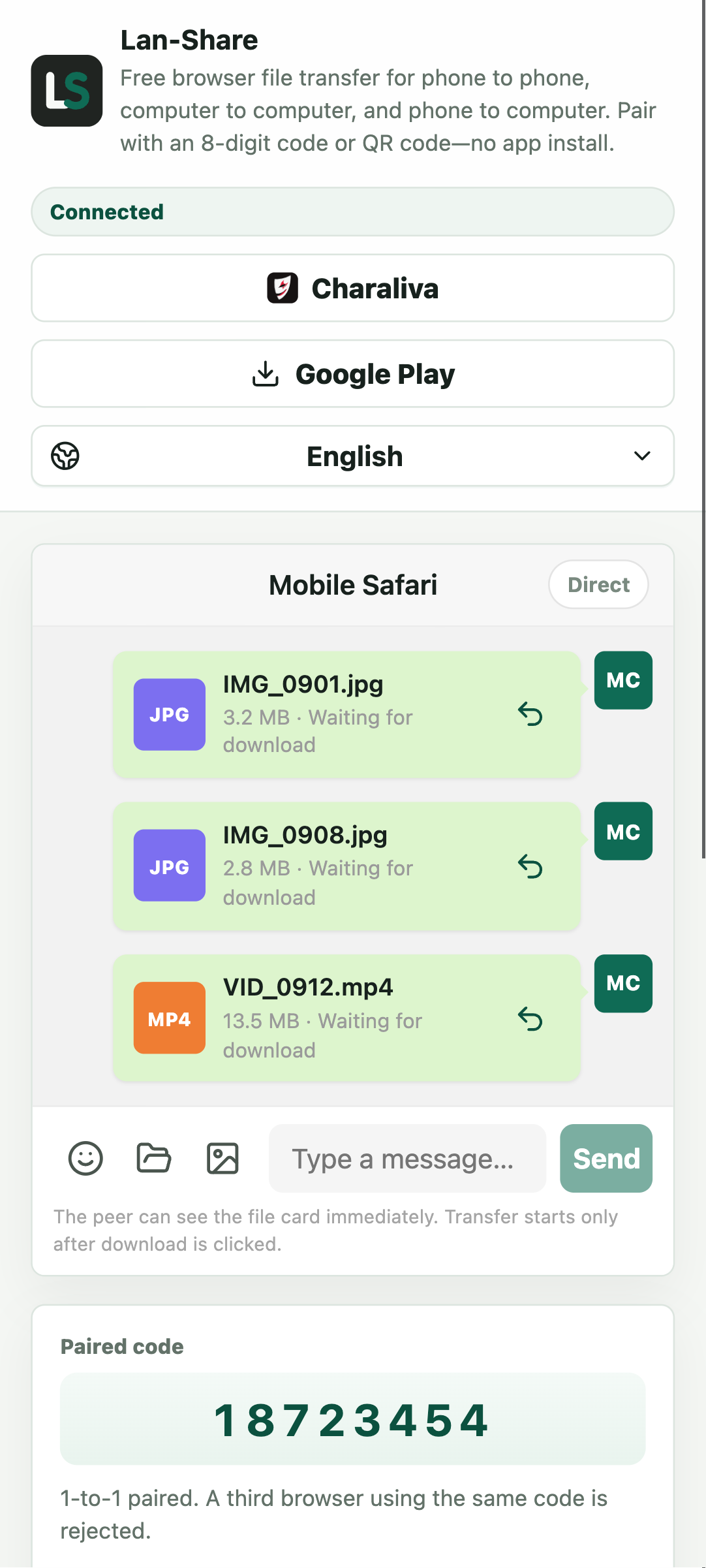
Tap Connect on either phone and both pages switch to the conversation. Choose the photos and videos in the phone's own picker. Every item becomes a card with its name, still saying Waiting for download because no content has moved yet.
Download on the other phone
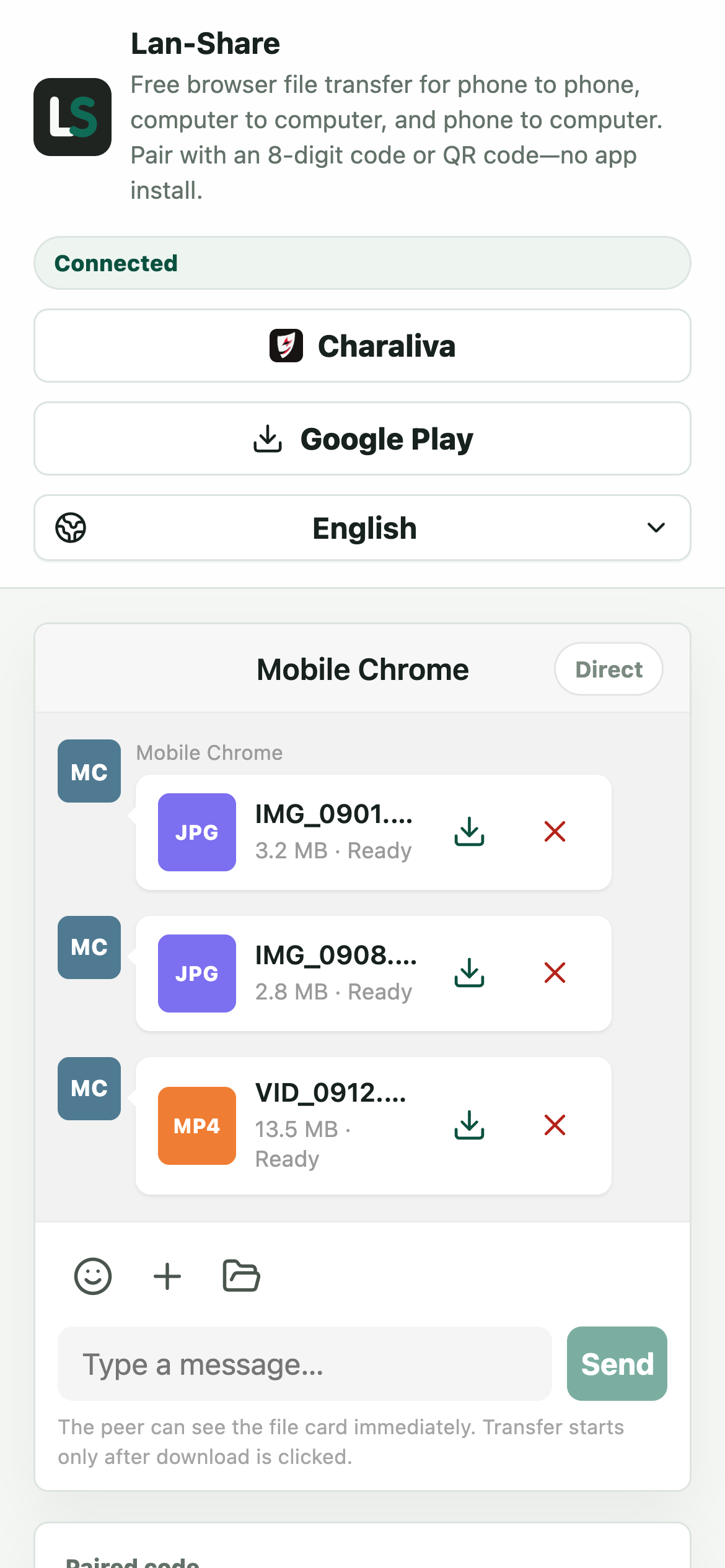
The receiving phone gets the same three cards, each marked Ready. Tap the download icon on a card; iOS asks where to save and puts them in the Files app, while Android saves into Downloads, which the Files app opens directly.
Why AirDrop and Quick Share do not talk
Apple's AirDrop and Google's Quick Share are separate protocols built by competing platforms. Neither sends to the other, so cross-platform transfers normally detour through a messaging app or cloud service, which compresses photos, needs an account, or uploads the file to a server first.
What to keep in mind
Phone-to-phone transfers work best with both screens on and both browser tabs in the foreground, because iOS and Android both pause backgrounded tabs. The receiver sees file names and sizes before anything transfers, and file content is not intentionally stored on the server. Very large video libraries are better split into a few transfers.
Troubleshooting
- The QR code opens the page but nothing pairs
Why it happens An 8-digit code expires two minutes after it is created, and refreshing it on the other phone invalidates the old one.
How to fix it Tap Refresh code on the phone that owns the code, then scan or type the new one within the countdown.
- The transfer stops when one phone locks
Why it happens Both iOS and Android suspend networking for a backgrounded browser tab, so the file stream pauses.
How to fix it Keep both pages in the foreground with the screens awake until the last file reads Downloaded.
- A downloaded photo is not in the iPhone's Photos app
Why it happens Safari can only save to the Files app; no website is allowed to write straight into the Camera Roll.
How to fix it Open the file in Files, tap Share, then Save Image (or Save Video) to copy it into Photos.
- A Live Photo arrives as a still image
Why it happens Only one file is stored for a Live Photo in the picker, so the moving part is not included.
How to fix it Share it from Photos instead, choosing the option that keeps both the still and the video.
FAQ
Can I AirDrop from an iPhone to an Android phone?
No. AirDrop only works between Apple devices. To go from iPhone to Android, use a browser tool like Lan-Share: open it on both phones, scan the QR code, and send over Wi-Fi.
Do both phones need to be on the same Wi-Fi?
For a direct transfer, yes. They need to reach each other on the same local network. If there is no shared Wi-Fi, turn on one phone's hotspot and connect the other phone to it.
Can I send videos and Live Photos?
Videos and photos are sent as the files the phone's picker provides, at their original quality. A Live Photo arrives as its still image; the motion clip is not transferred as a separate file.
Is there a size limit?
There is a per-file limit for each session, shown on the page (about 200 MB by default). For long videos, transfer them one at a time.
Does this work between two Android phones or two iPhones?
Yes. Lan-Share is not limited to cross-platform transfers. Any two devices with a modern browser on the same network can pair, including phone-to-computer and computer-to-computer.