Transfer files over a mobile hotspot, no Wi-Fi router needed
No router is not a problem: the router was only ever the meeting place, not the path. Turn on the phone's personal hotspot, join it from the laptop, open lan-share.com on both, and files travel directly between the two devices over the hotspot's own local network. It works for iPhone to Windows, Android to Mac, or any other mix.
Step by step
Get both devices onto the hotspot
Turn on the phone's personal hotspot, then join that network from the laptop. Keep the hotspot settings screen reachable: some phones pause the network while that screen sleeps.
Open lan-share.com on the laptop
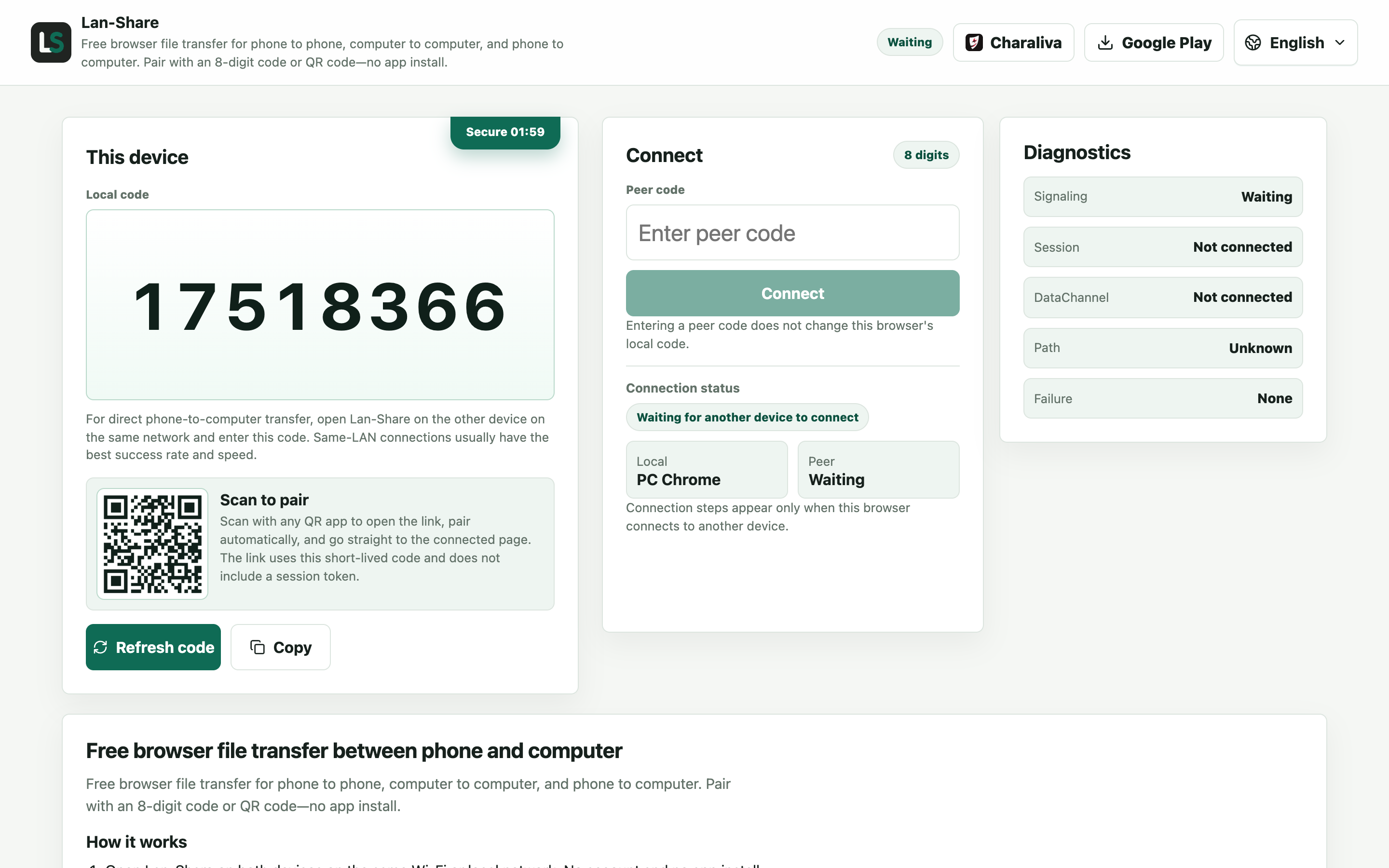
Once the laptop is on the hotspot, open the site. Under Local code it shows an 8-digit code and a QR code — this is the laptop the phone will join.
Join from the phone
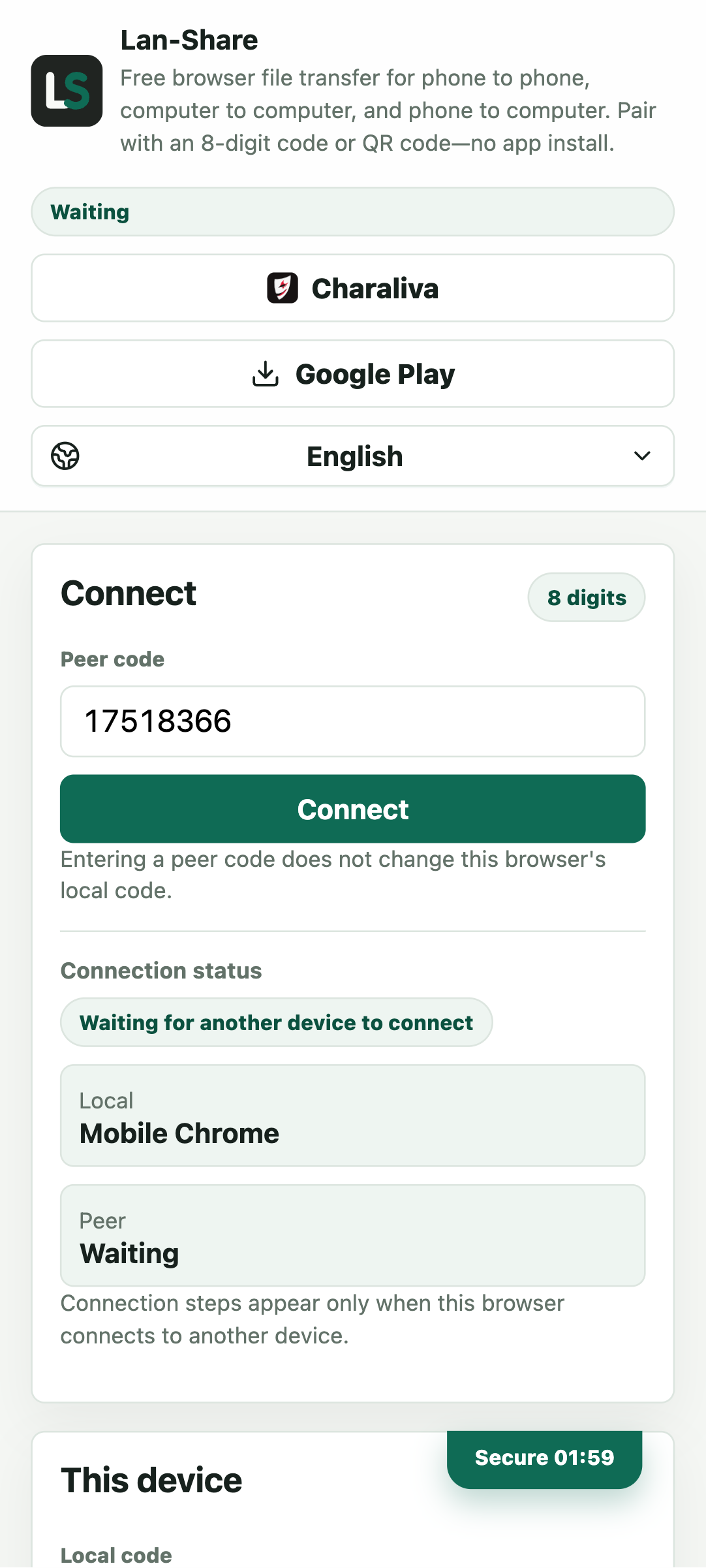
Open the same address on the phone and type the 8 digits into Peer code, or scan the QR code from the laptop screen. Tap Connect and both pages switch to the conversation.
Send and download
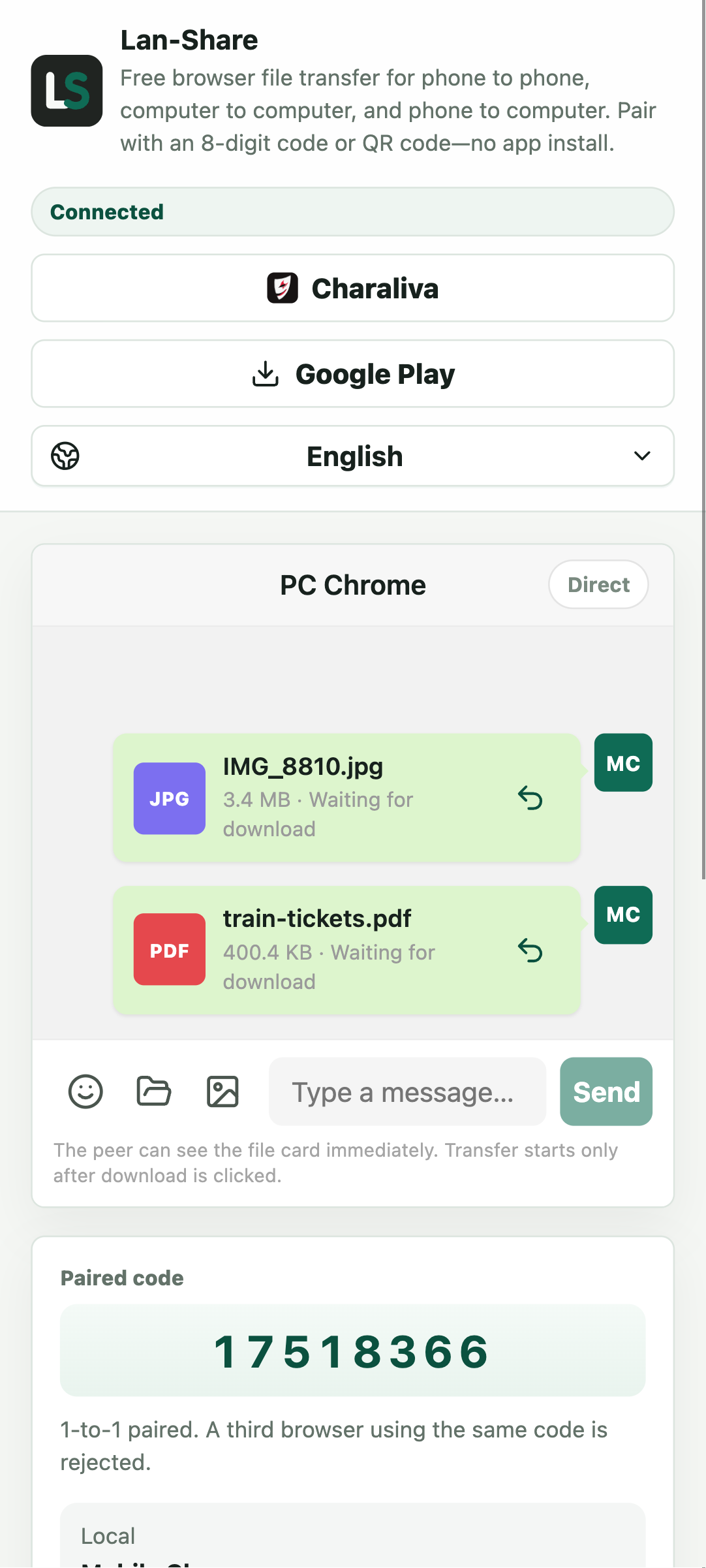
Pick the files with the phone's picker, or tap the paperclip for documents and folders. Each becomes a card marked Waiting for download; on the laptop the same cards turn Ready and download on a click.
Download on the laptop
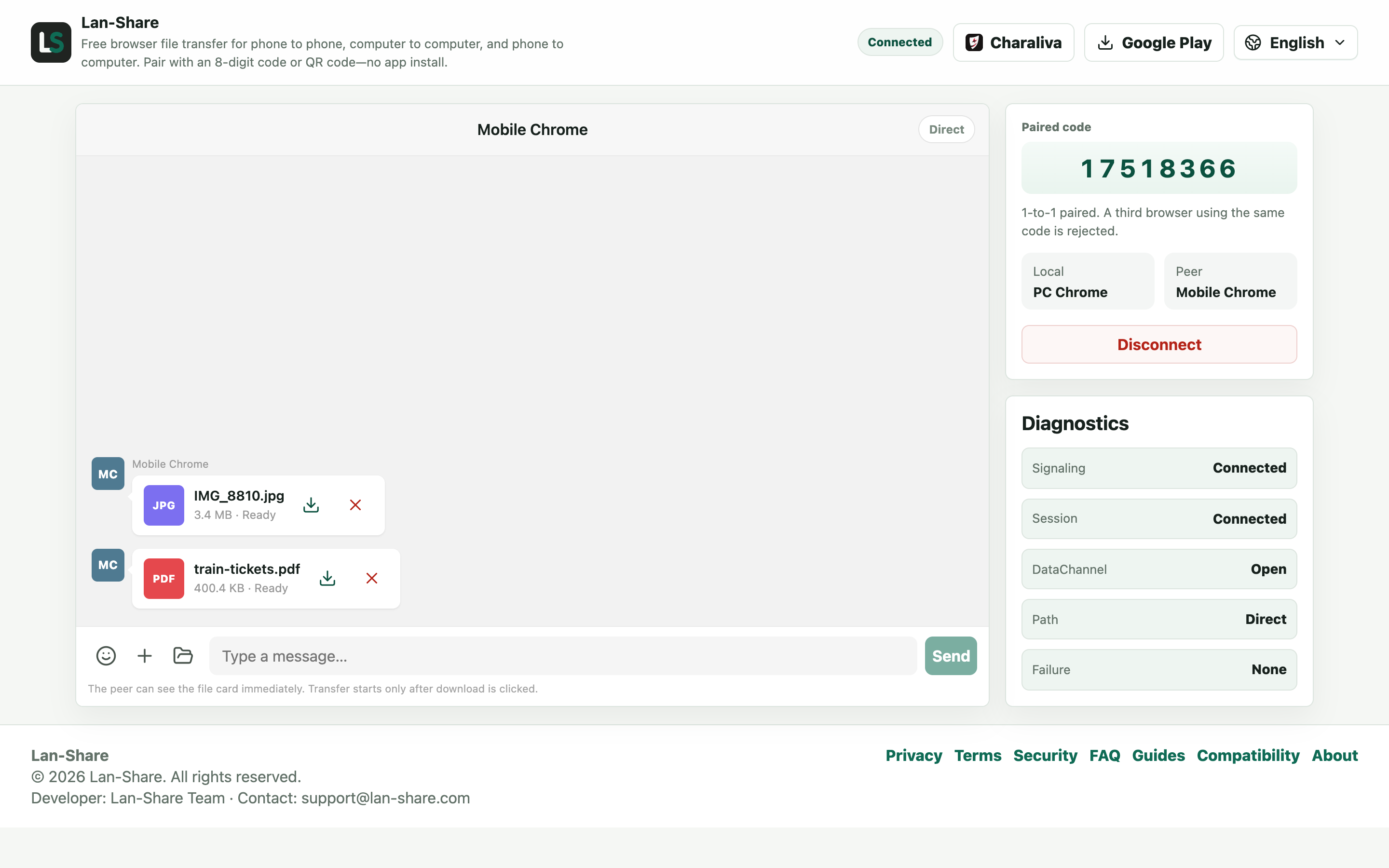
The laptop's conversation shows the same cards marked Ready. Click the download icon on a card and the browser saves it into Downloads under its original name — the bytes are the ones the phone sent.
How a hotspot becomes a local network
A personal hotspot is a small private Wi-Fi network with the phone at its center. Once the laptop joins, the devices are neighbors on the same network, which is exactly what a direct browser-to-browser transfer needs. Loading the page uses the phone's mobile connection if one is available; the file transfer itself runs inside the hotspot and never reaches the mobile network.
Why this beats hotel and café Wi-Fi
Public networks often isolate devices from each other, which blocks every browser-to-browser transfer tool regardless of vendor. A personal hotspot is a private network you own: no strangers on it, no isolation between your own devices, and no access point you don't control sitting between your files.
Troubleshooting
- The laptop connects to the hotspot but the page will not load
Why it happens The hotspot may have mobile data off, or the phone pauses tethering while its settings screen sleeps.
How to fix it Keep the hotspot settings screen awake, and remember the page only needs to load once — the files never use mobile data.
- The two devices never pair on the hotspot
Why it happens Some phones isolate hotspot clients, or the laptop silently fell back to another saved network.
How to fix it Check the laptop is still on the hotspot SSID, and turn the hotspot off and on to reset client isolation.
- The hotspot drops when the phone locks
Why it happens Several Android and iOS versions shut tethering down when the screen sleeps for a while.
How to fix it Keep the phone awake and plugged in for the length of the transfer.
- Transfers are slower than on home Wi-Fi
Why it happens A hotspot often runs on 2.4 GHz and shares the phone's radio with mobile data.
How to fix it Move both devices close together, and send fewer large files at a time.
FAQ
Does transferring over a hotspot use mobile data?
The file content stays inside the hotspot network, so even large transfers do not touch the mobile network. Only loading the web page itself uses a small amount of data.
Can an iPhone hotspot connect to Android or Windows?
Yes. Any device with a current browser can join the hotspot and open the page — iPhone to Windows, Android to iPad, whatever mix you have.
Why do transfers fail on hotel or café Wi-Fi?
Those networks usually enable client isolation, which prevents devices from talking to each other. All browser-based tools are affected; a personal hotspot is the reliable workaround.
How fast is hotspot transfer?
It is limited by the phone's Wi-Fi radio, which is often faster than a building's internet upload. Keep the devices close together for the best speed.
Does the laptop need its own internet connection?
No. Joining the hotspot and loading the page once through the phone is enough; the transfer itself runs directly between the two devices.