Send photos and videos without compression
Every chat app makes the same trade: shrink your media so it travels cheaply. Photos come out as smaller JPEGs, videos get re-encoded, and the “original” switch is buried or capped by file size. When quality matters — a 4K clip, a photo you want to print, footage you are about to edit — send the file itself. Lan-Share moves files byte for byte between two browsers, so what arrives is what you picked.
Step by step
Open lan-share.com on the computer
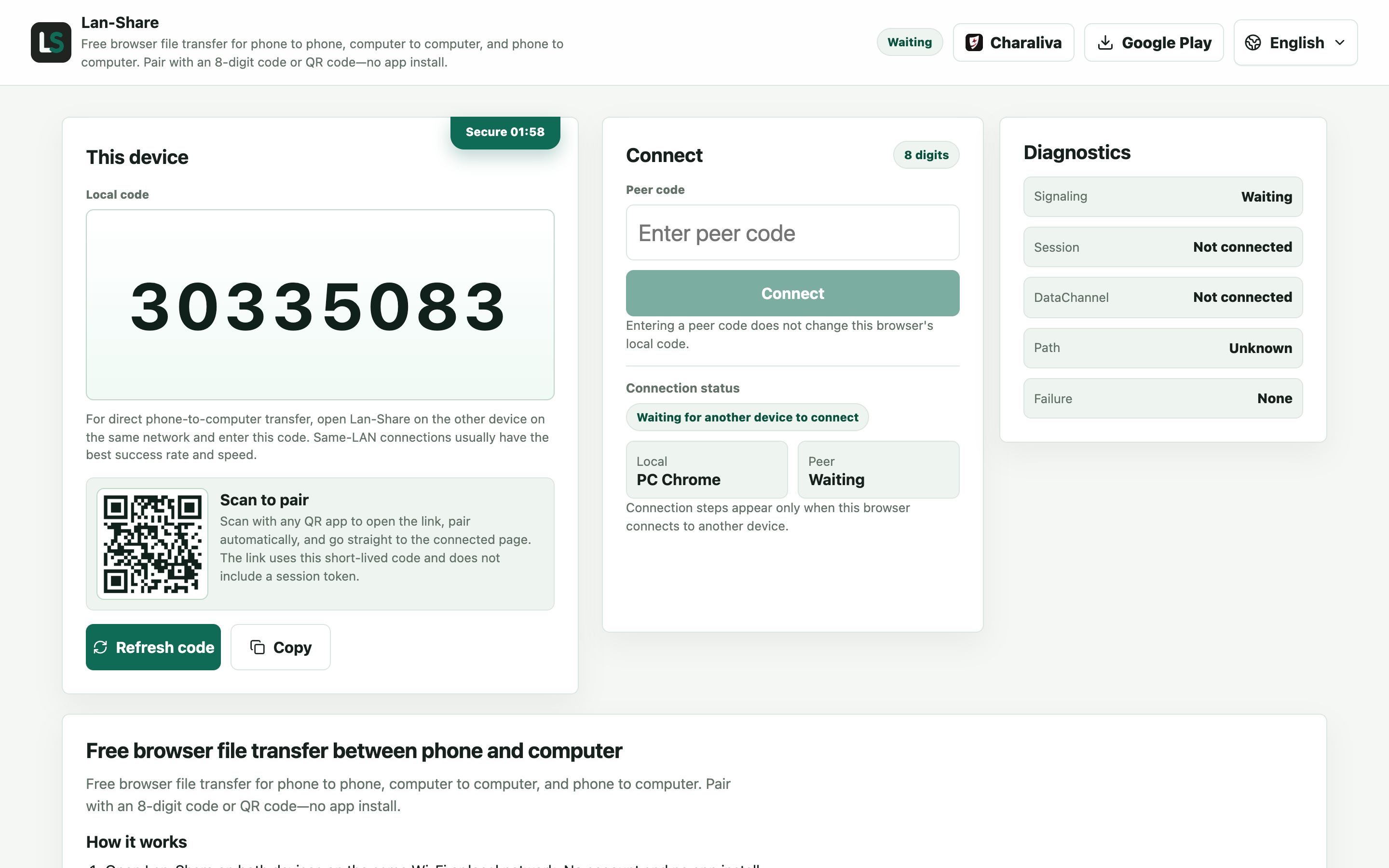
Any current desktop browser. Under Local code the page shows an 8-digit code with its QR code — this computer will send the originals.
Join from the phone
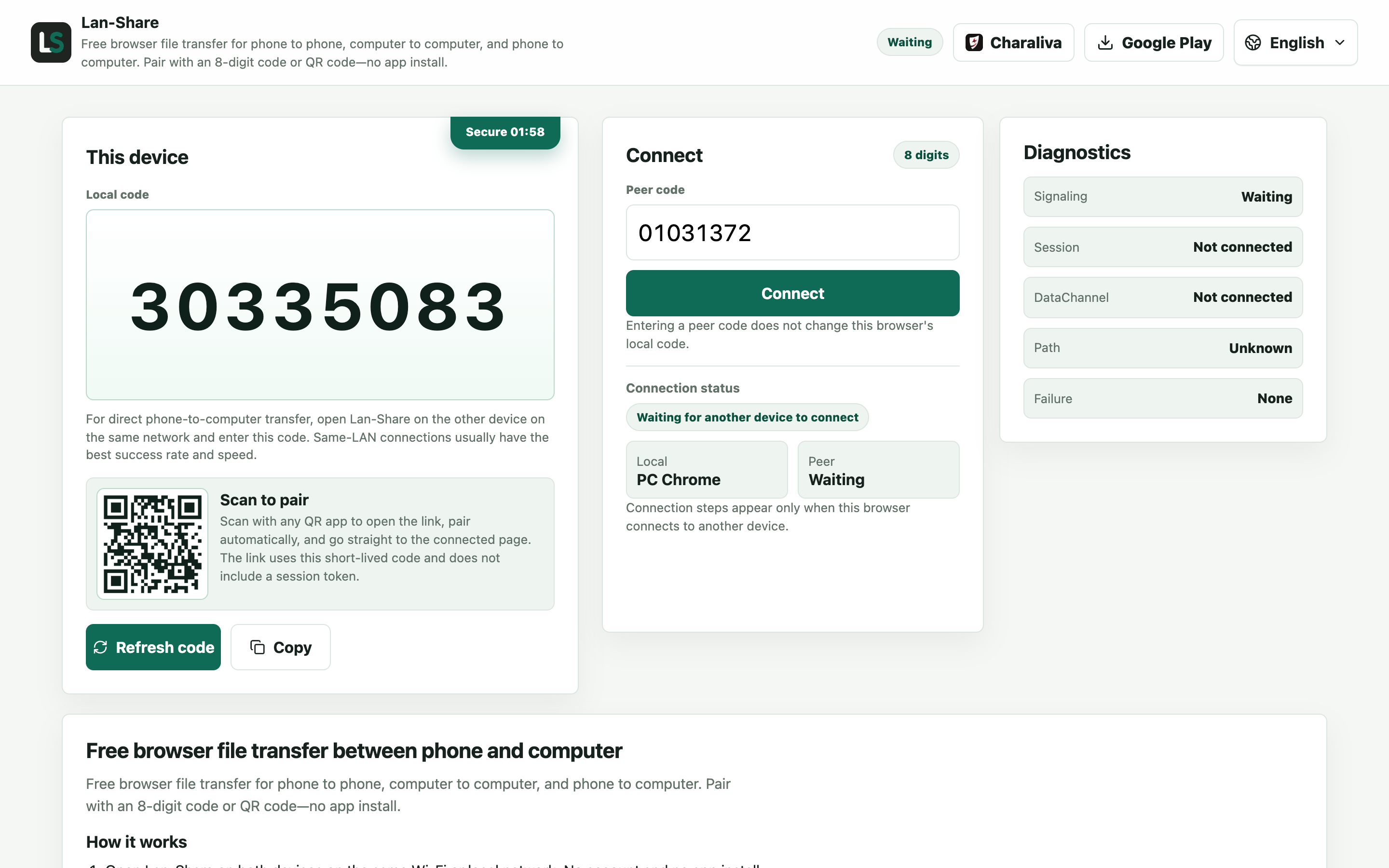
Open the same address on the phone and enter the 8 digits, or scan the QR code from the screen. Tap Connect and both pages switch to the conversation.
Send the original files
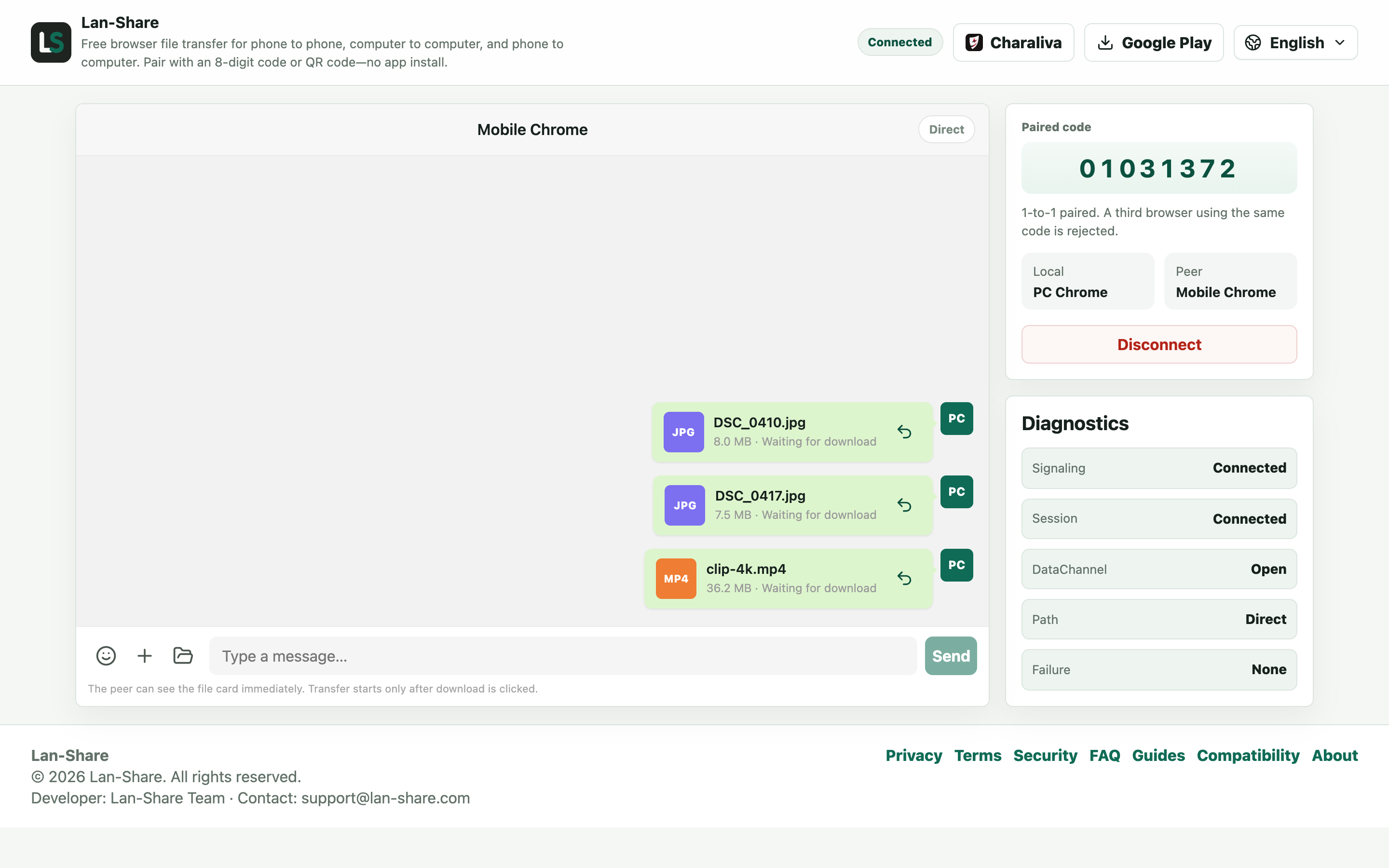
Drag the photos and videos onto the conversation, or use the paperclip and a folder. Each item becomes a card marked Waiting for download; nothing is re-encoded on the way out.
Download and compare
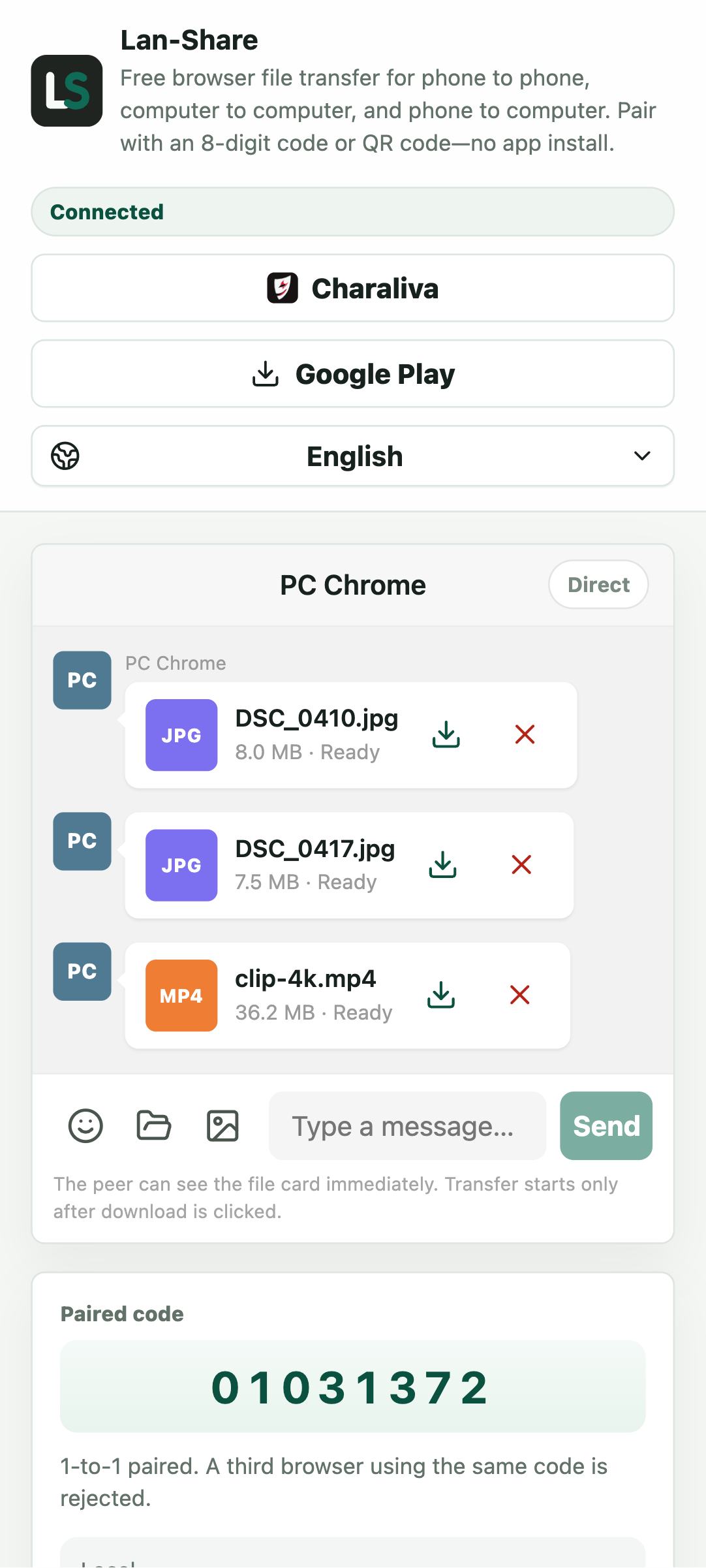
On the phone the cards turn Ready. Tap the download icon, then compare the file size with the original — it should match exactly, which is how you confirm nothing was compressed.
Which methods compress, and which do not
Chat apps including WhatsApp and WeChat compress photos and videos sent in a conversation. Cloud photo streams may hand out “optimized” versions on request, and email caps attachment sizes or recompresses on the way. AirDrop is lossless but only connects Apple devices. A direct browser-to-browser transfer skips all of it: HEIC photos, 4K HDR videos, PNG screenshots — everything arrives exactly as it was picked.
How to verify you got the original
Compare the file size before and after: it matches, because the bytes are not altered. The file extension stays the same too — .HEIC stays .HEIC, .MOV stays .MOV. If a service ever asks you to “download in original quality”, that is a sign copies exist in several versions; with Lan-Share there is only ever one version, the original.
Troubleshooting
- The received photo is much smaller than the original
Why it happens A chat app re-encoded it somewhere in the chain; this route never does.
How to fix it Send again through Lan-Share and compare bytes: the received file should be identical in size to the one you picked.
- The video plays but looks softer
Why it happens The player may scale it down, or the file was compressed before it reached you.
How to fix it Check the file size first — if it matches, the bytes are original and only the playback was scaled.
- A large video is refused
Why it happens Each session enforces the per-file limit shown on the page, about 200 MB by default.
How to fix it Send oversized videos one at a time, or split them before sending.
- The original file is gone after sending
Why it happens Lan-Share only reads the file to stream it; it never deletes or alters the source.
How to fix it Check the original path — the sender's copy is untouched, so keep working from it.
FAQ
Does WhatsApp or WeChat compress photos?
Yes. Media sent inside a chat is compressed and videos are re-encoded by default; some apps gate original quality behind a toggle or a size cap. Sending files through a direct transfer like Lan-Share avoids re-encoding entirely.
Does AirDrop reduce quality?
No, AirDrop transfers originals — but only between Apple devices. For iPhone-to-Windows or iPhone-to-Android, Lan-Share provides the same original-quality transfer in the browser.
Will my video lose quality with Lan-Share?
No. Videos are transferred as files without re-encoding, so bitrate, resolution, and audio stay exactly as recorded.
How can the receiver tell it is the original?
The received file has the same name, format, and size as the one on the sending device. There is no server copy in another quality.
Is there a file size limit?
Each session has a per-file limit, shown on the page (about 200 MB by default). Photos and most clips fit comfortably; transfer long recordings one at a time.