Transfer files between two computers without internet
Getting a folder from one computer to another usually ends one of three ways: a USB stick that is never around when you need it, a network share nobody remembers how to configure, or a cloud drive that uploads everything just to download it again next door. When both computers are on the same Wi-Fi or Ethernet, Lan-Share shortens the path to two browser tabs and an 8-digit code.
Step by step
Open lan-share.com on the first computer
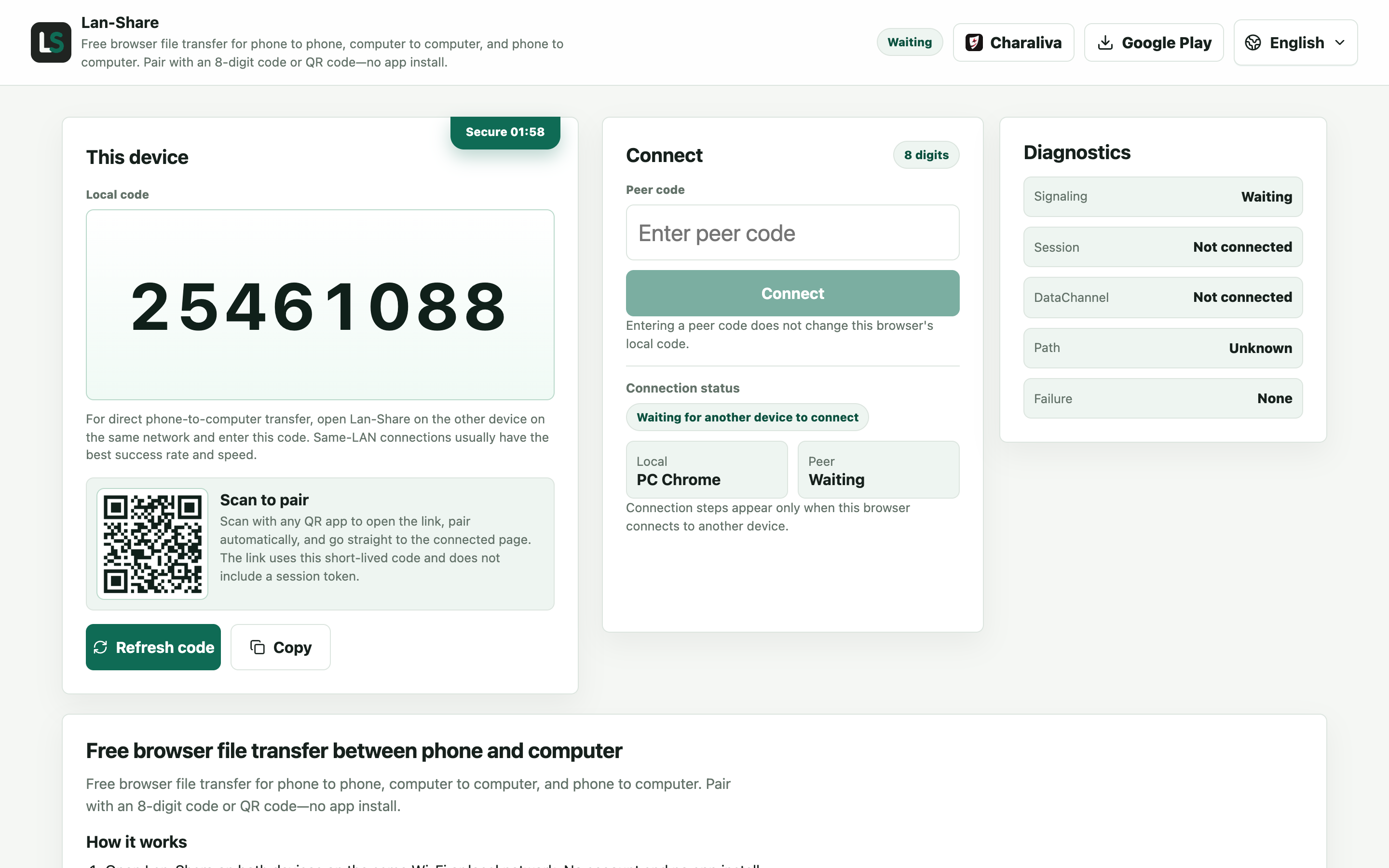
Chrome, Edge, Firefox, or Safari on either machine. Under Local code the page shows an 8-digit code with a QR code underneath. Leave the page open; it is the one the other computer joins.
Type that code on the second computer
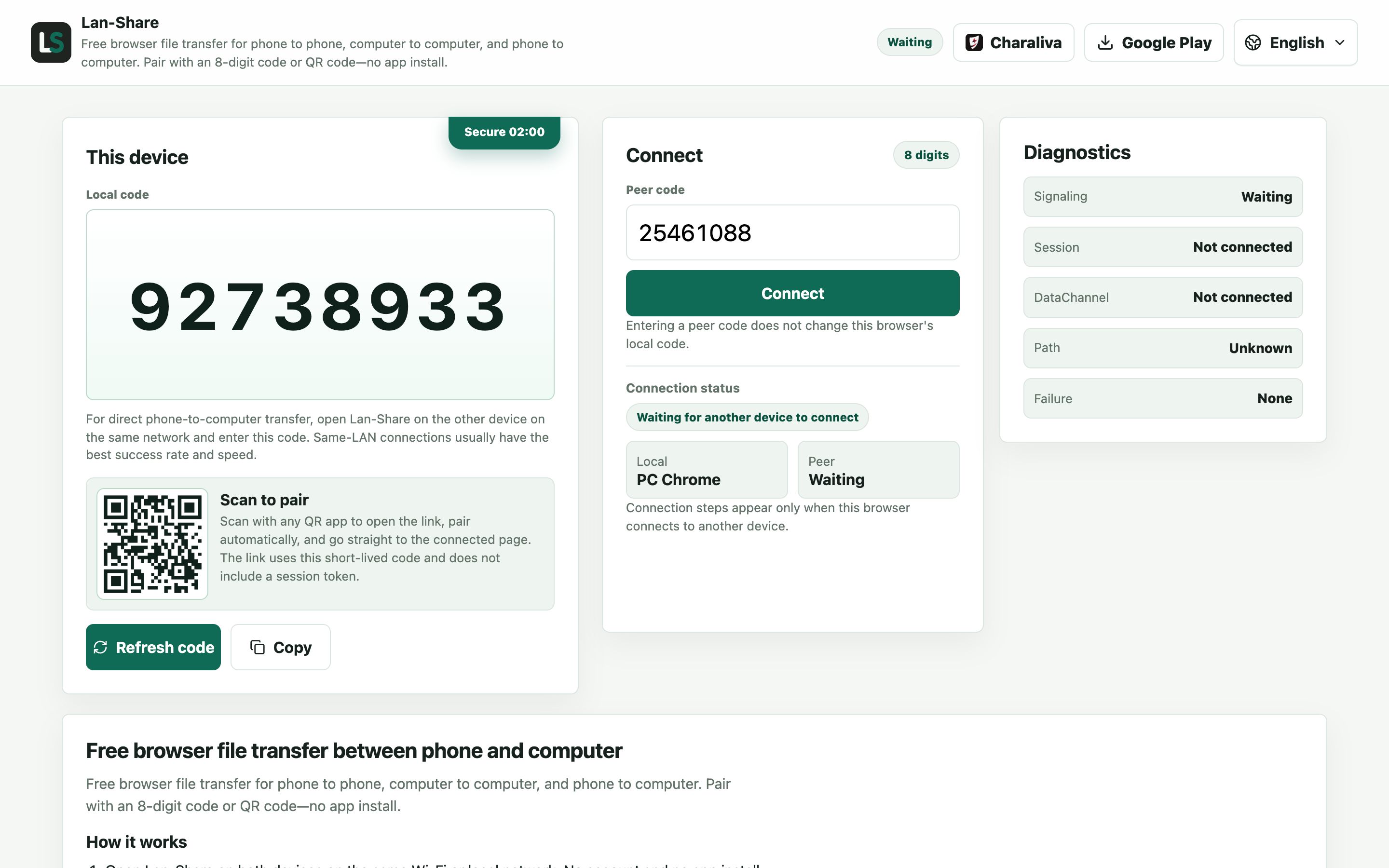
Open the same address on the other machine and enter the 8 digits in Peer code, or scan the QR code with a phone and send the link on. Each computer keeps its own local code, so the second one shows a different number while it joins.
Pick the files on the first computer
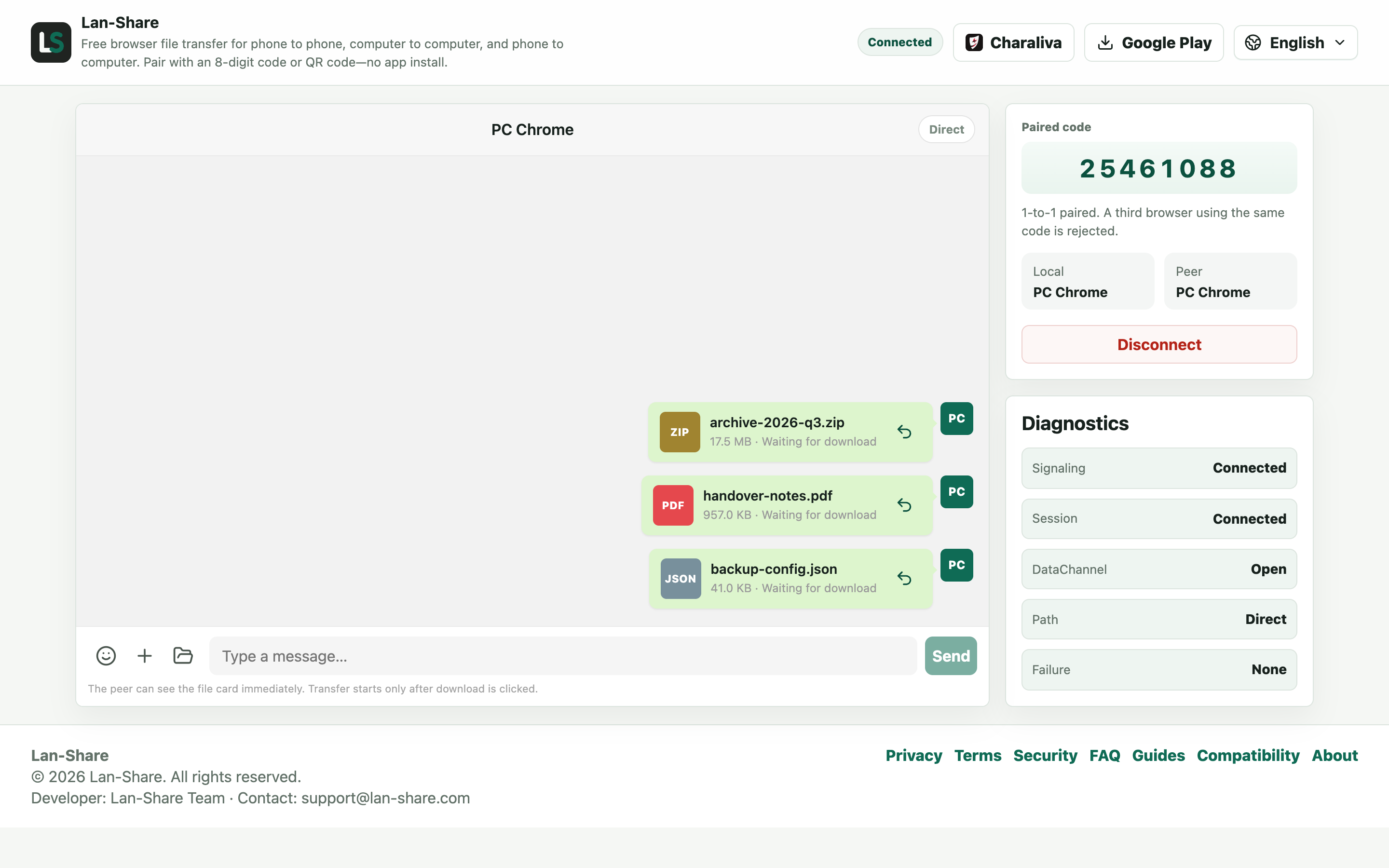
Drop files onto the conversation, or choose them with the paperclip; a whole folder can be dropped too. Every item becomes a card marked Waiting for download, which means the other side can see the name and size but no bytes have moved yet.
Download on the second computer
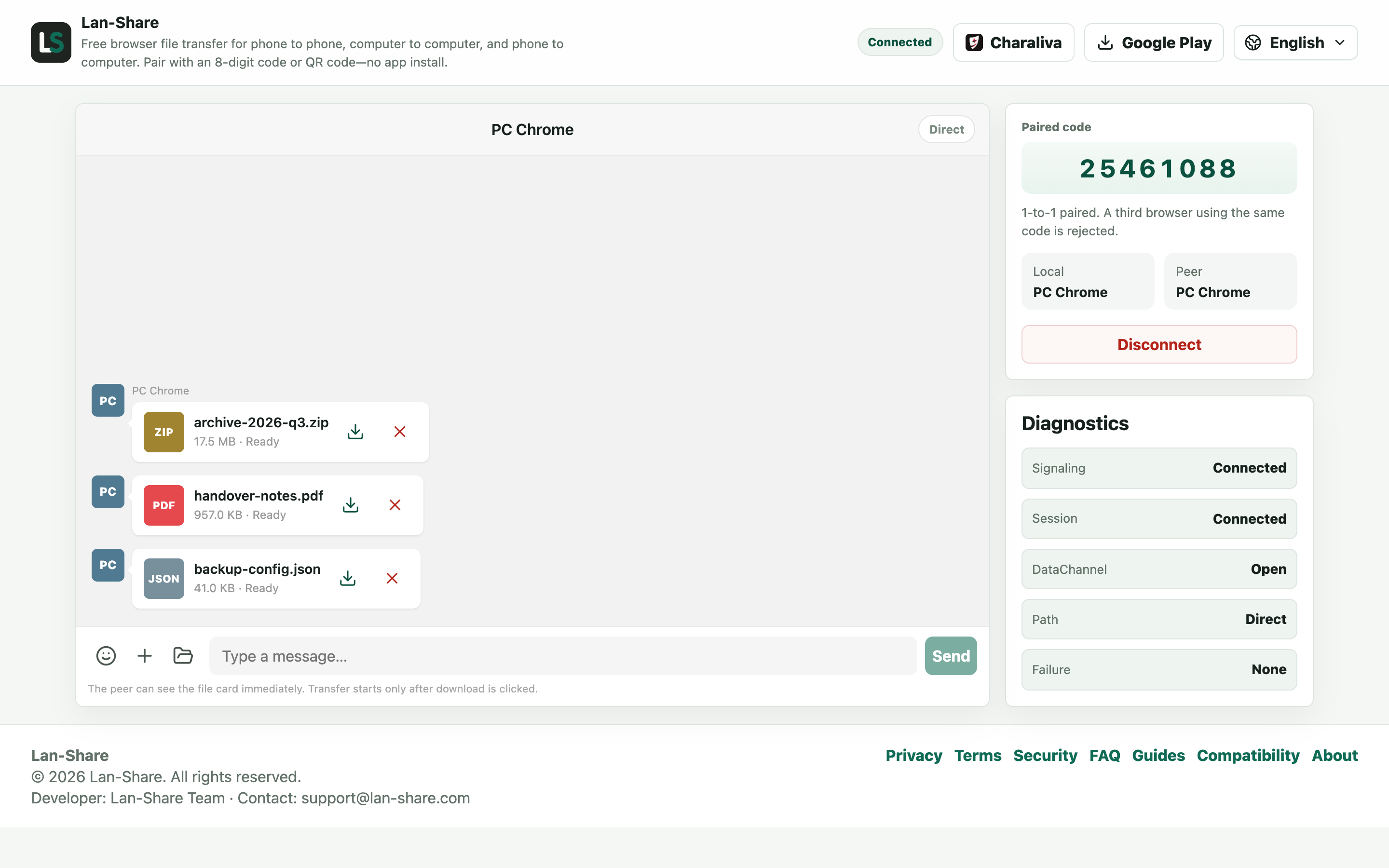
The second machine shows the same cards marked Ready, each with a download icon, plus Download all. Nothing is written to disk until you press one; then the browser saves the files under their original names.
Direct between the browsers, no cloud in between
File content travels straight from one browser to the other over your local network; it is never uploaded to a server. Loading the web page takes a moment of connectivity, but the files themselves stay inside the room. That keeps the route practical even on a connection where uploading gigabytes is a non-starter.
What about big folders
Photos, documents, and most clips move through without a second thought. Each session has a per-file limit, shown on the page (about 200 MB by default), so split or send oversized videos one at a time. Keep both pages in the foreground while a transfer runs, and let the receiver save everything before closing a tab. The receiver always confirms first, so nothing arrives unasked.
Troubleshooting
- The two computers never find each other
Why it happens Guest Wi-Fi, VPN clients, and some routers isolate clients so they cannot see each other even on one network.
How to fix it Put both on the same main network, turn the VPN off, and disable client isolation on the router if it is on.
- Two account screens on one computer do not pair
Why it happens One browser profile is one device identity, so a second tab becomes the same device and the room rejects it.
How to fix it Use two different browsers, or a normal window and a private window, so each side has its own identity.
- The page says the session has ended
Why it happens Sessions are strictly one-to-one and short-lived: closing either page or letting the code expire ends the pairing.
How to fix it Reopen lan-share.com on both machines and pair with a fresh code.
- A folder transfer stops partway
Why it happens Each session has a per-file limit that the page shows, about 200 MB by default, and one oversized file stops the batch.
How to fix it Send the large file on its own in a new pairing, or split it before sending.
FAQ
Can two computers transfer files without internet?
The file content never leaves your local network, so an internet connection is not part of the transfer. You only need to load the web page once — through a phone hotspot, for example — after which everything stays local.
How do I transfer files from Windows to Mac?
Open lan-share.com in the browser on both machines, pair with the 8-digit code or QR code, pick the files on the Windows side, and confirm the download on the Mac.
Is there a file size limit?
Each session has a per-file limit, shown on the page (about 200 MB by default). Files bypass the server entirely, so there is no storage quota on top of it; keep both tabs open until a transfer finishes.
Do both computers need the same operating system?
No. Any combination of Windows, macOS, and Linux works as long as both sides have a current browser.
Is this safer than a USB stick?
There is no physical device to lose, the pairing code is short-lived, and the receiver confirms every download. File content is not stored on any server in between.