Send Anywhere alternative with no app to install
Send Anywhere made phone-to-PC transfer feel quick: install an app, get a 6-digit key, type it in on the other device. The catch is the setup. An app sits on at least one side of every transfer, and when the two devices cannot reach each other directly the file leans on company services. Lan-Share does the same job from the browser on both sides: no app, no account, and a short-lived 8-digit code that pairs exactly two devices on your own network.
Step by step
Open the page on the computer
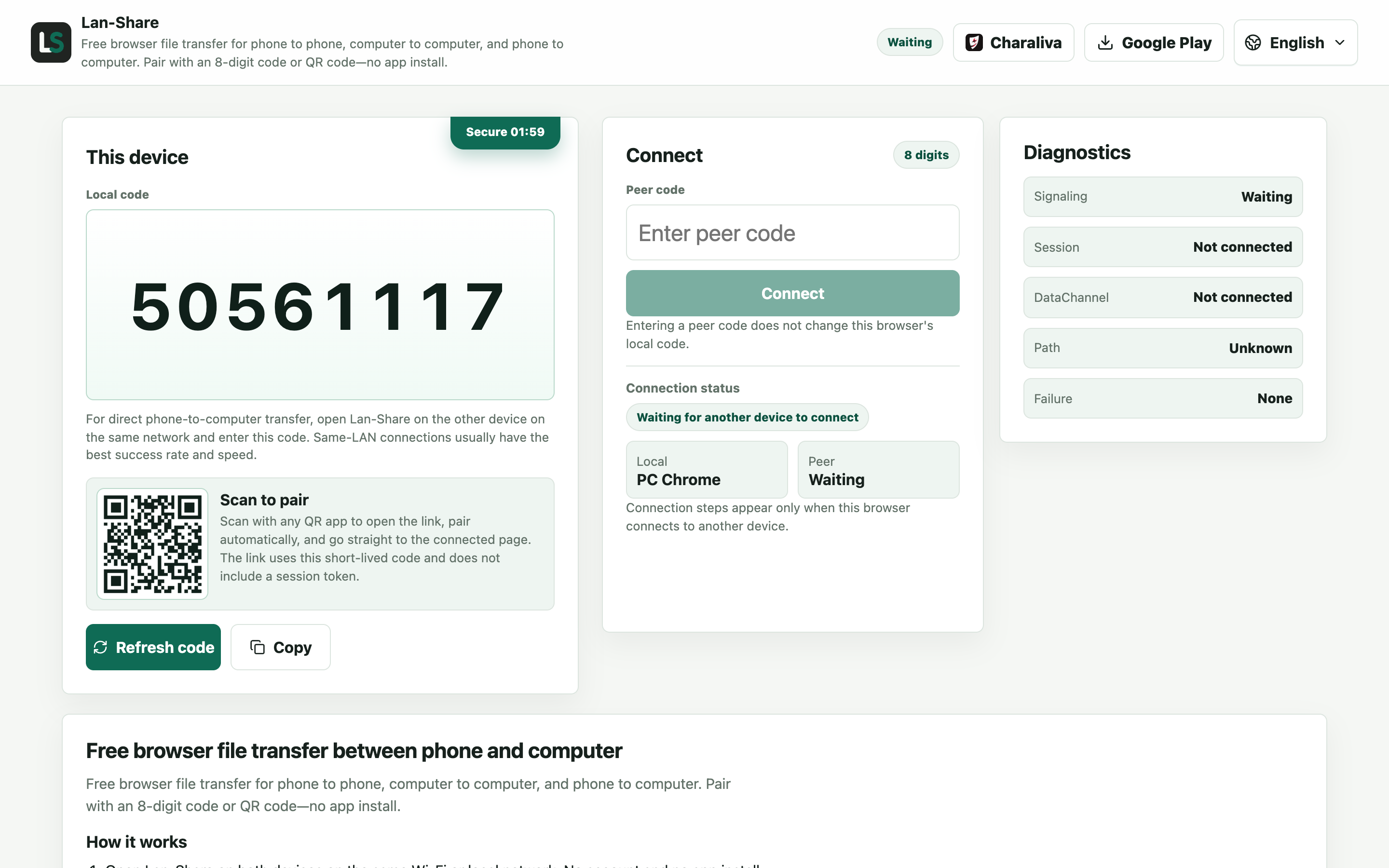
There is no device roster and no account: the page shows an 8-digit code, and that code is the only thing that stands for this session.
Join from the Android phone
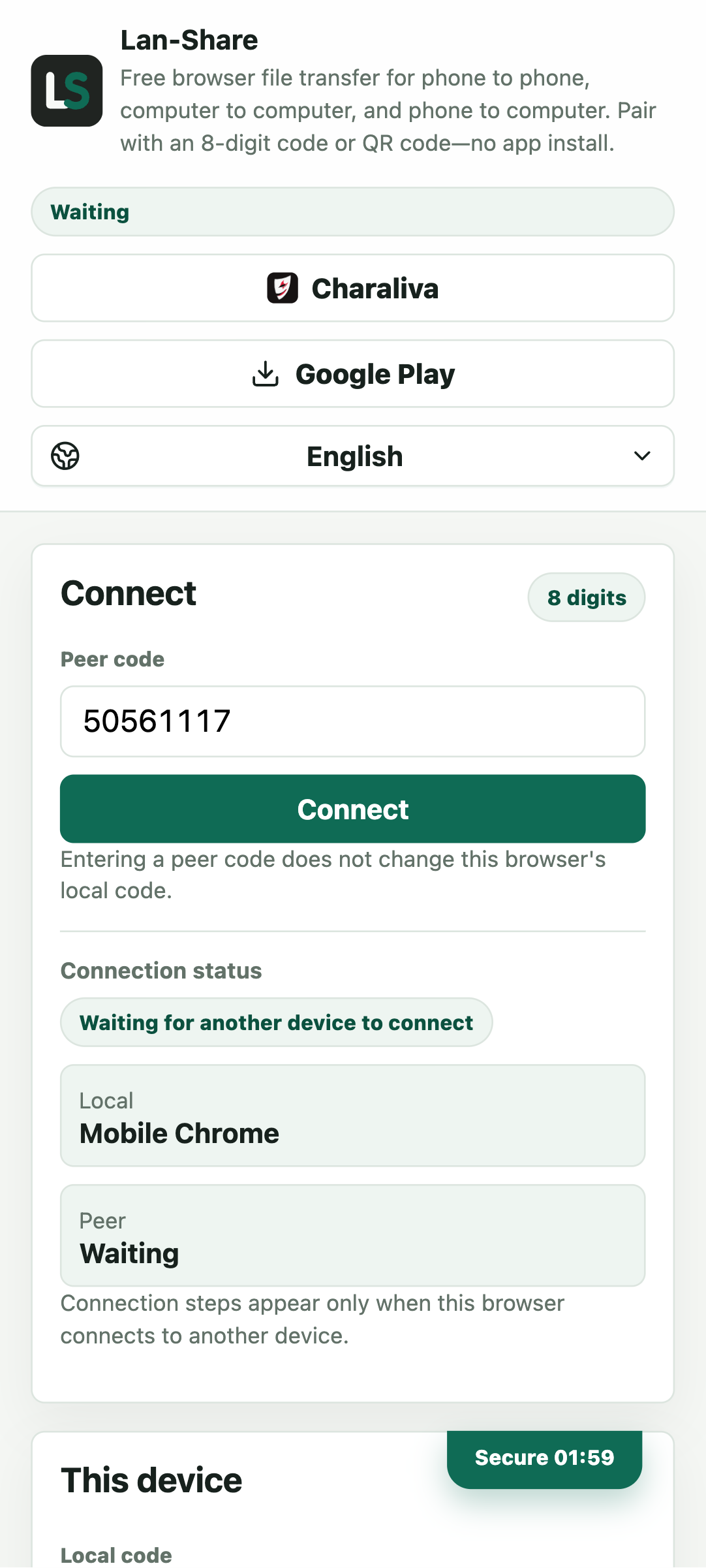
Enter the code in Chrome, or scan the QR code. No install is offered or required on either side.
Send from the phone
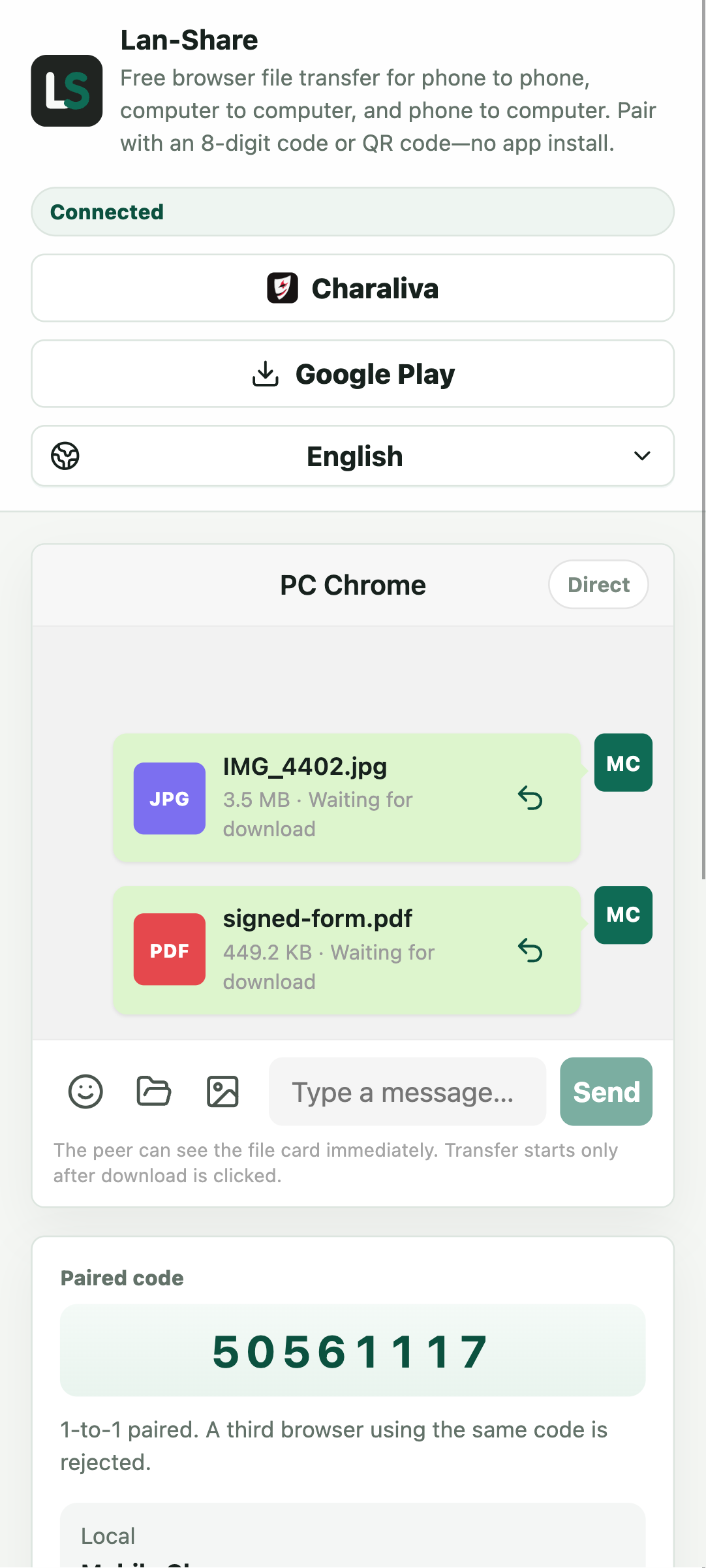
Pick photos or documents with the phone's picker; the paperclip also takes a folder. Each item becomes a card marked Waiting for download.
Download on the computer
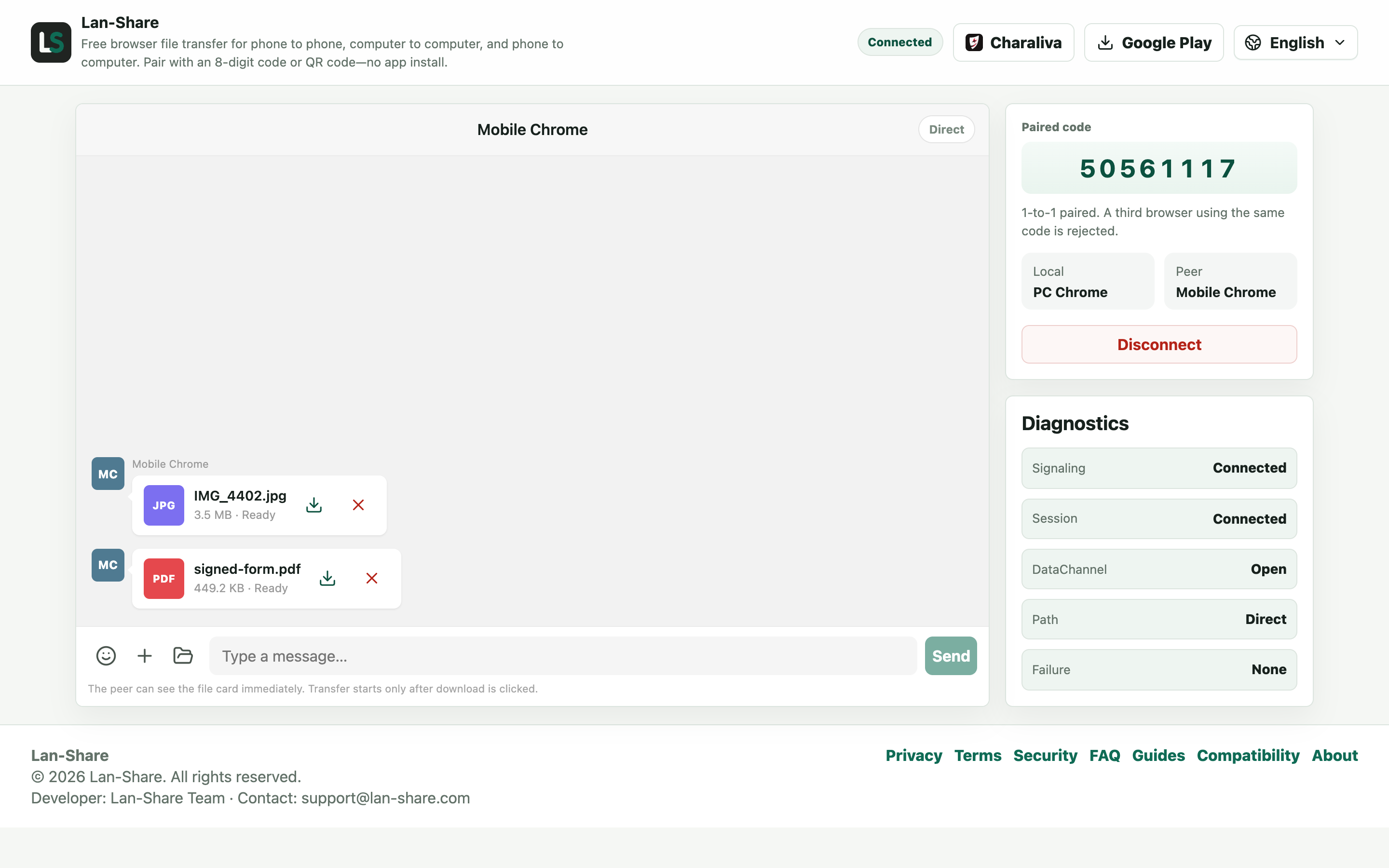
The cards turn Ready on the computer. Click the download icon and the browser saves them under their original names.
Where the two approaches split
Send Anywhere starts with an install and a key that stands for a device; Lan-Share starts with a URL and a code that stands for a short-lived session. One keeps a roster of your devices and builds features around it; the other keeps nothing — the room exists while you use it and closes when you are done. Both give the receiver a confirmation step before content moves.
When Send Anywhere still makes sense
If you live inside its ecosystem — device rosters, transfer history, cross-network sends — it is a solid tool. Files larger than a session's per-file limit (about 200 MB by default, shown on the page) also point back that way. For a one-off transfer on a borrowed laptop, opening a browser is the fastest path there is.
Troubleshooting
- The recipient cannot open the page
Why it happens Both devices must be on one network; a remote recipient needs a server-based service instead.
How to fix it For someone elsewhere, use a cloud service; in the same room, pair here.
- The transfer stops when the screen locks
Why it happens Both iOS and Android suspend a backgrounded browser tab.
How to fix it Keep both pages in the foreground until the last file reads Downloaded.
- A large file is refused
Why it happens The per-file limit is shown on the page, about 200 MB by default.
How to fix it Send it on its own, or split it first.
- No app to install anywhere
Why it happens That is intentional: this route runs entirely in the browser.
How to fix it Nothing to do — keep both tabs open until the transfer finishes.
FAQ
What is a good Send Anywhere alternative?
For one-off transfers between your own devices on one network: Lan-Share — browser only, no install, no account.
Do I really not need to install anything?
On the web, correct: both sides just open lan-share.com in a current browser. Native iOS and Android apps are optional extras.
How is an 8-digit code different from a 6-digit key?
The code is short-lived and pairs exactly two devices for that session; the room closes when the session ends. Share codes only with the person you want to pair with.
Do files pass through a server?
No. Lan-Share is direct-only: file content goes browser to browser over the local network.
Is there a file size limit?
Each session has a per-file limit, shown on the page (about 200 MB by default).