LocalSend alternative that needs no install on any device
LocalSend is the app most often recommended as an open-source AirDrop replacement, and the praise is deserved: free, cross-platform, fully offline. Its one structural requirement is that every participating device installs the app and grants local-network permission. Lan-Share covers the same job from the browser: open lan-share.com on both devices, pair with the 8-digit code or QR code, and send files directly over the local network.
Step by step
Open the page on the PC
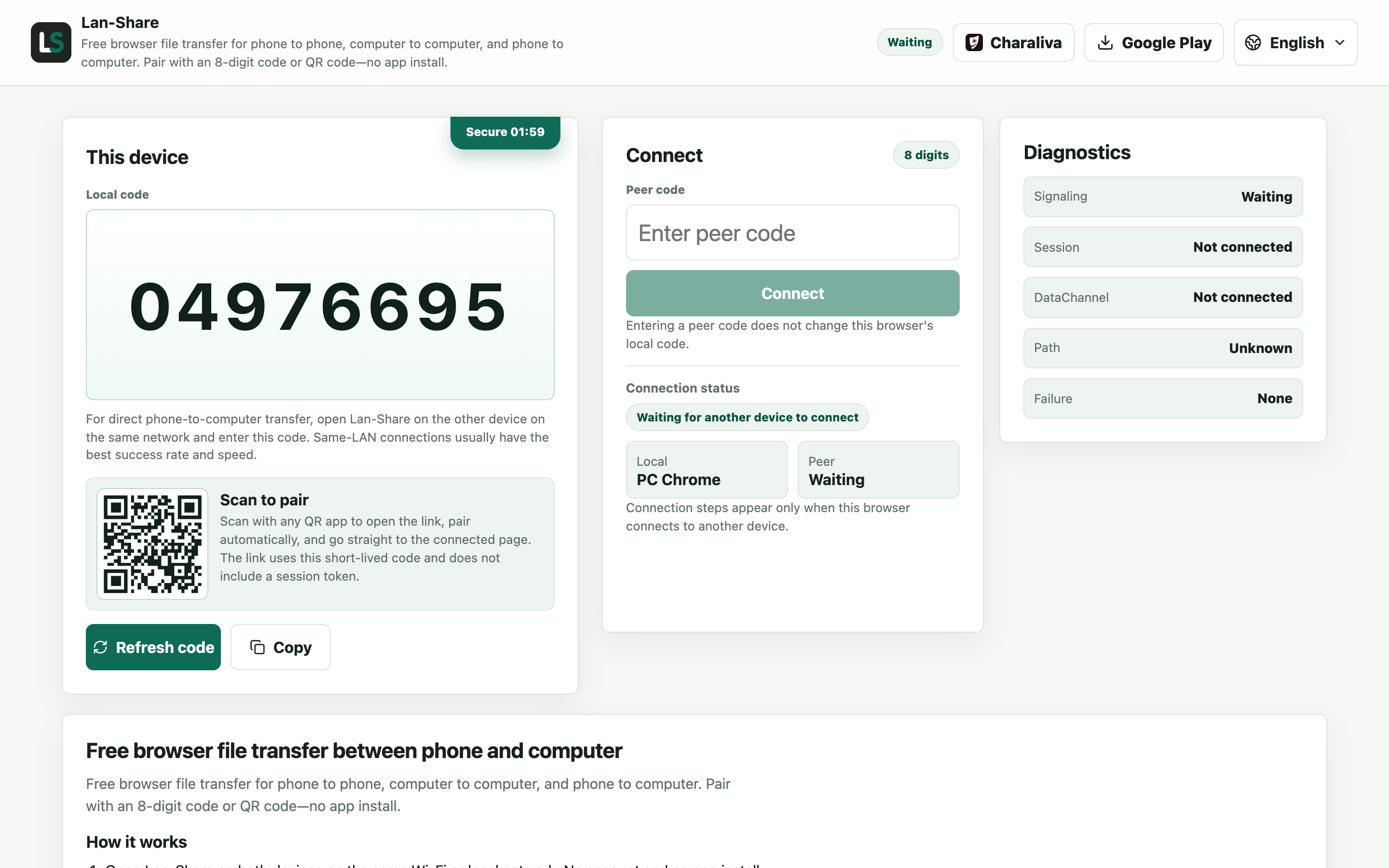
No install on either side — that is the whole point when the other machine is a borrowed one. The PC shows an 8-digit code and a QR code.
Join from the Android phone
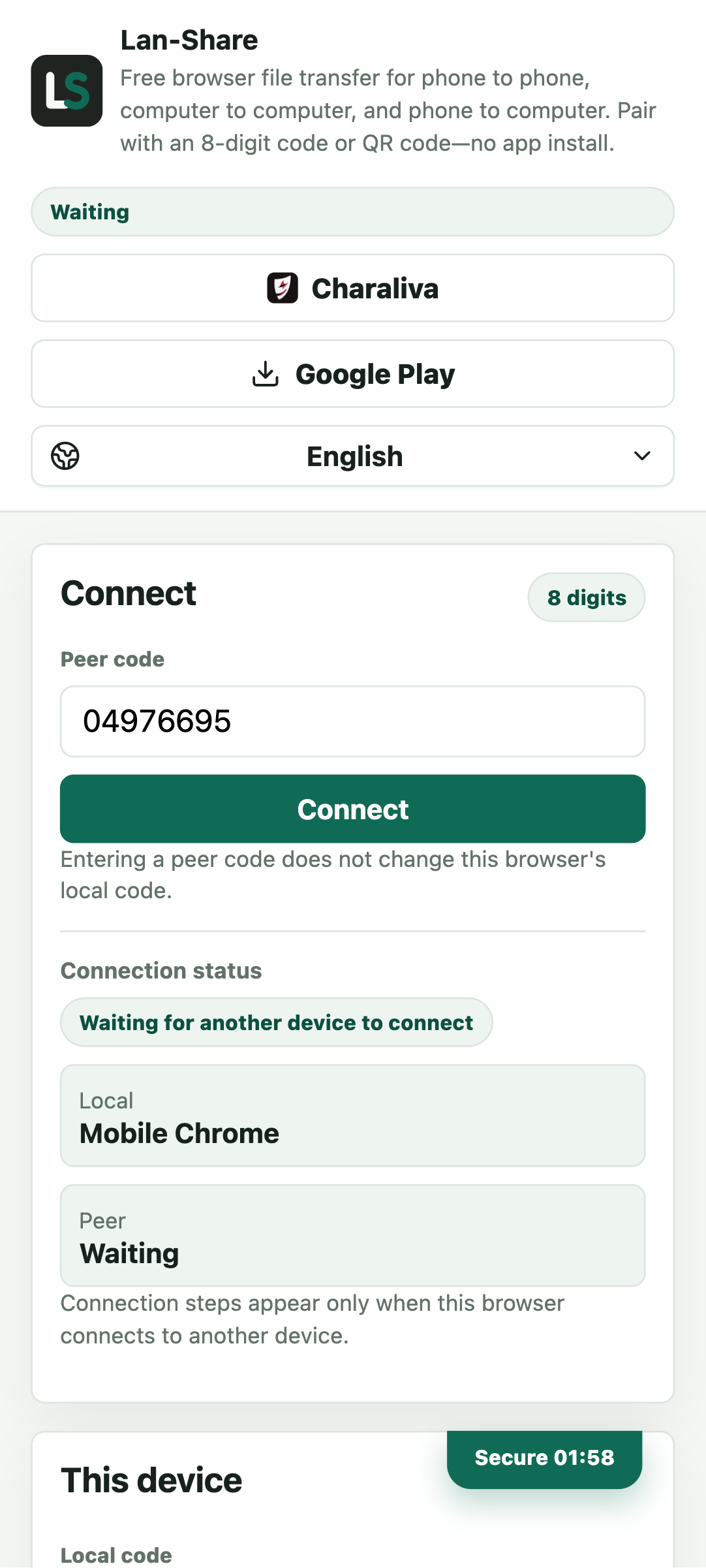
Open the same address in Chrome and enter the code, or scan the QR code. Both pages switch to the conversation once they find each other.
Send from the phone
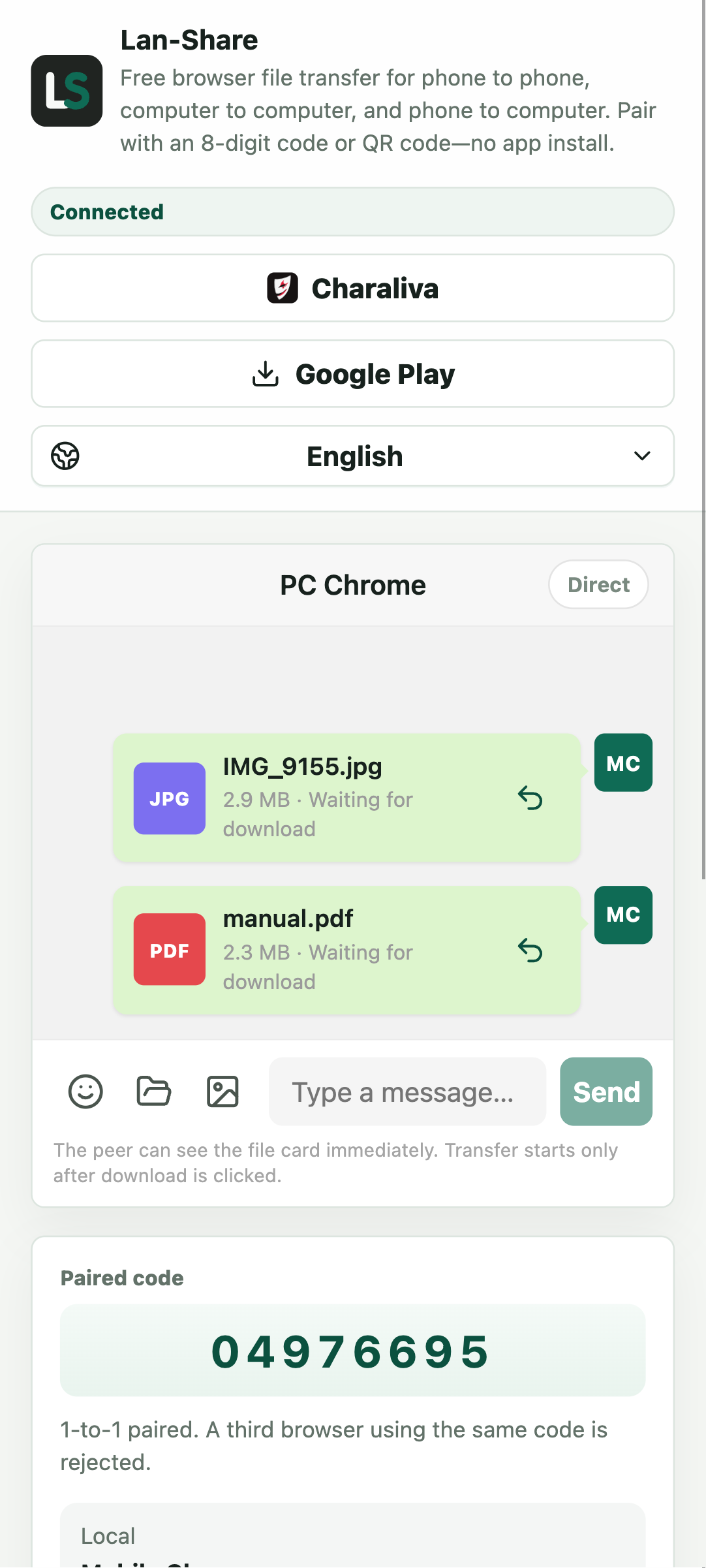
Pick files with the phone's picker, or send a whole folder through the paperclip. Each item becomes a card marked Waiting for download.
Download on the PC
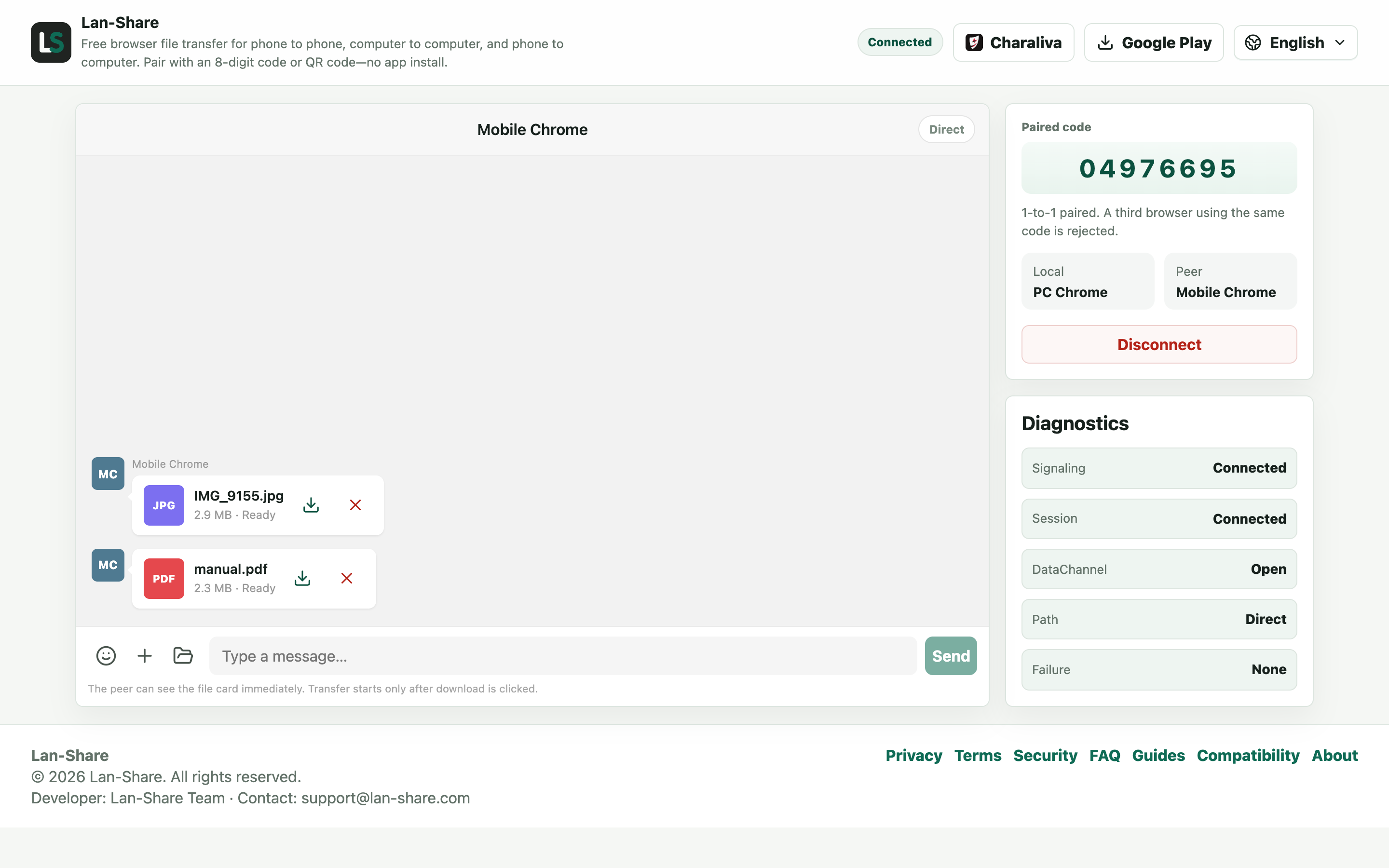
The PC's conversation marks the cards Ready. Click the download icon; the browser saves each file unchanged.
Where an install on every device hurts
The app requirement is invisible at your own desk and obvious everywhere else: a guest's laptop, a borrowed PC without the right store, a locked-down work machine, a friend's phone with no free storage. Each extra device means finding the right build, installing, and approving local network permission. A browser page skips all of it — the only requirement is a current Chrome, Edge, or Safari.
How the Lan-Share flow compares
The transport story is the same: files go directly between devices on your network and never touch a cloud. The differences are in setup and consent. Lan-Share has no automatic device discovery — you pair deliberately with a code or QR code — and the receiver confirms the download before content moves. There is also no app to update on either side.
When LocalSend is still the better choice
If you move files between your own machines every day and don't mind the installs, LocalSend remains excellent: it runs as a native app and does not depend on a web page. Lan-Share is the better fit for one-off transfers, guest and borrowed devices, and any situation where installing an app is the obstacle rather than the answer.
Troubleshooting
- The two devices never pair
Why it happens Guest Wi-Fi, VPN clients, and some routers isolate clients even on one network.
How to fix it Join the same main network on both, and turn the VPN off.
- The transfer stops when the screen locks
Why it happens Both iOS and Android suspend a backgrounded browser tab.
How to fix it Keep both pages in the foreground until the last file reads Downloaded.
- A file larger than the limit is refused
Why it happens The per-file limit is shown on the page, about 200 MB by default.
How to fix it Send it on its own in a fresh pairing after checking the stated limit.
- The received photo looks softer than the original
Why it happens Something in the chain re-encoded it — this route sends the stored bytes unchanged.
How to fix it Compare file sizes; if they match, the bytes are original.
FAQ
Is there a LocalSend web version?
No. LocalSend ships as native apps for each platform, and both sides need the app. Lan-Share is the browser-based route: both devices just open a web page.
Can I use LocalSend without installing it?
Not really — the protocol needs the LocalSend app on each device. If installing is not an option, use a browser tool like Lan-Share instead.
Can Lan-Share and LocalSend talk to each other?
No, they use different protocols. Both devices should use Lan-Share — open the same page and pair with the 8-digit code.
Which is faster, LocalSend or Lan-Share?
Both transfer directly over the local network, so real-world speeds are similar and bounded by your Wi-Fi rather than the tool.
Is Lan-Share free?
Yes, and there is no account. Open the page, pair, and send.