Snapdrop alternative: browser file transfer that still works
Snapdrop proved a browser tab could behave like AirDrop across platforms, and it earned a loyal following. But the project has seen little development in recent years, everyone on the network appears in one shared device list, and on shared Wi-Fi that public room is awkward at best. Lan-Share keeps the core idea — cross-platform file transfer straight from the browser — and replaces the public room with a short-lived 8-digit code that pairs exactly two devices.
Step by step
Open the page on the PC
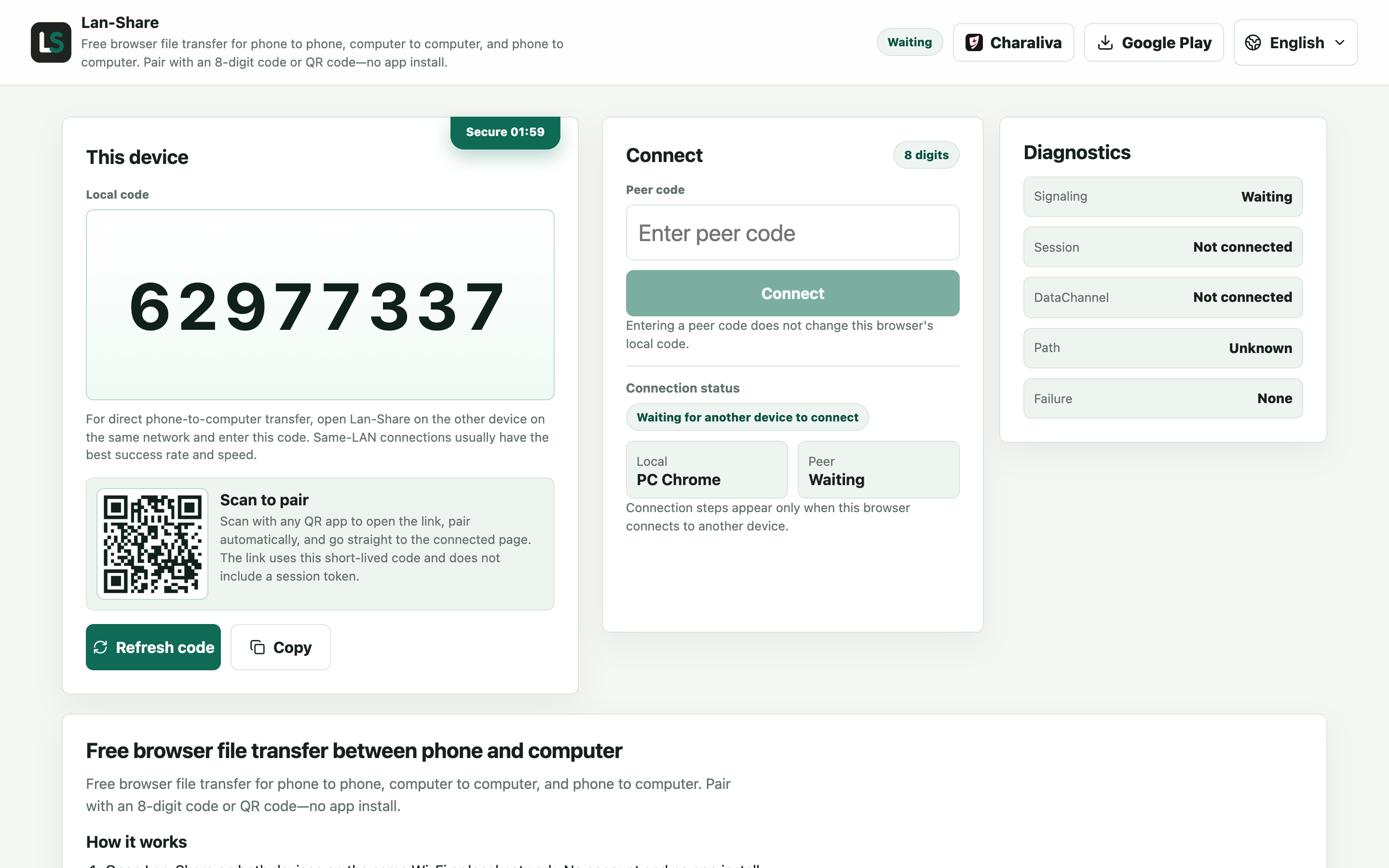
Unlike a broadcast-based tool, nothing here advertises your device to the network. The page shows an 8-digit code only you can share.
Join from the Android phone
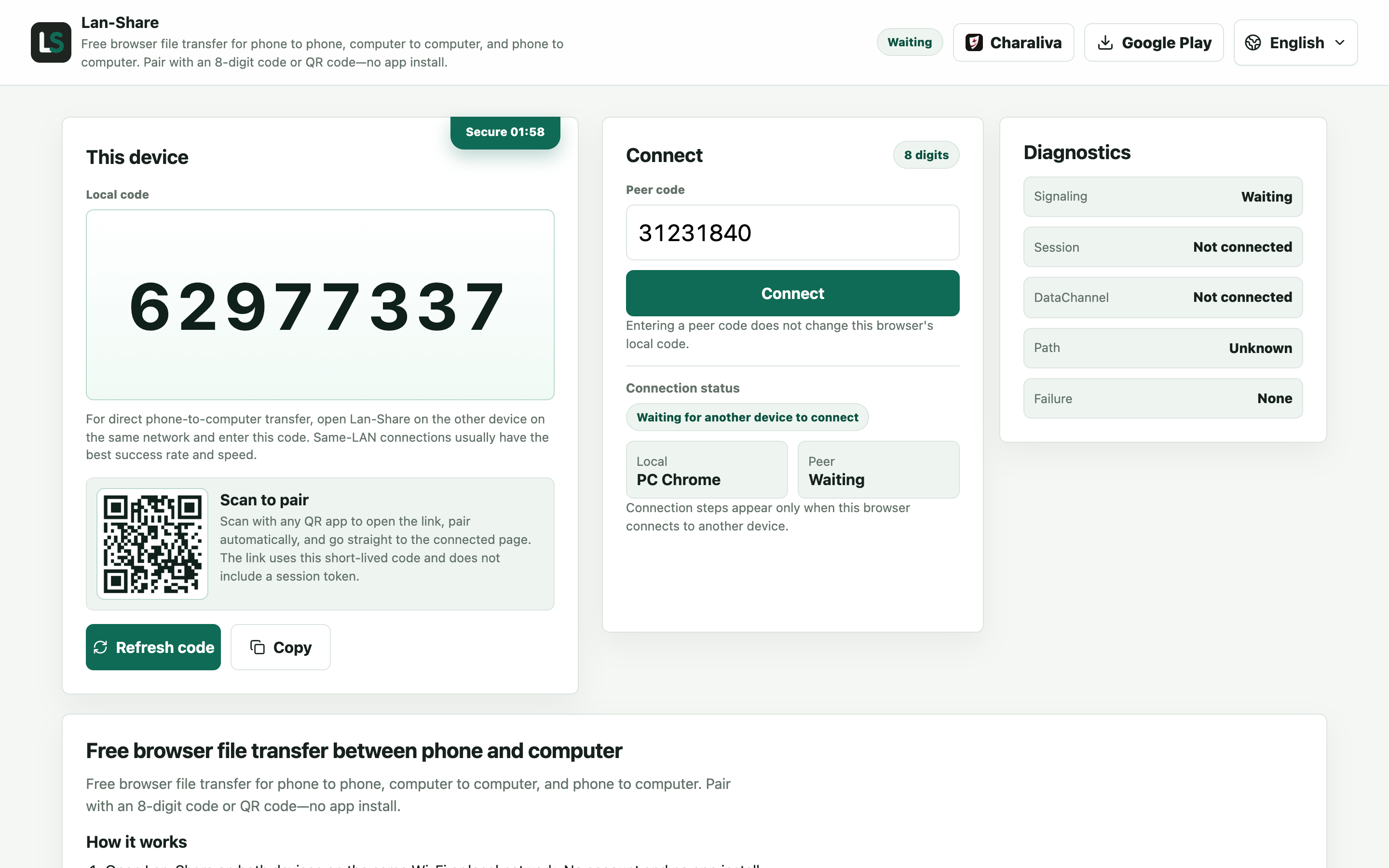
Open the same address and type the code into Peer code, or scan the QR code. Only this one device can join that code, and the room closes when you are done.
Send from the PC
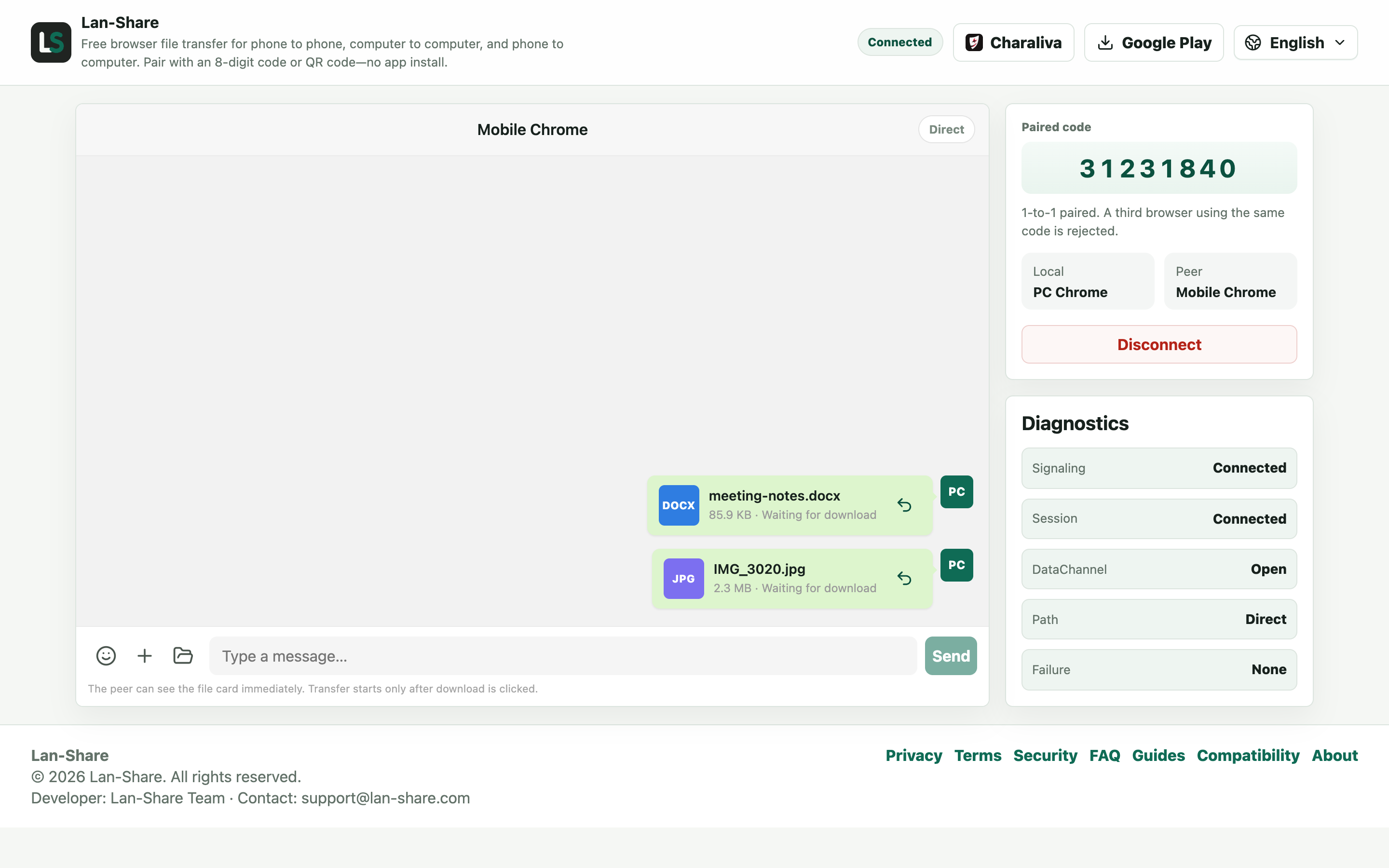
Drag files onto the conversation or use the paperclip, including a whole folder. Each item becomes a card marked Waiting for download.
Download on the phone
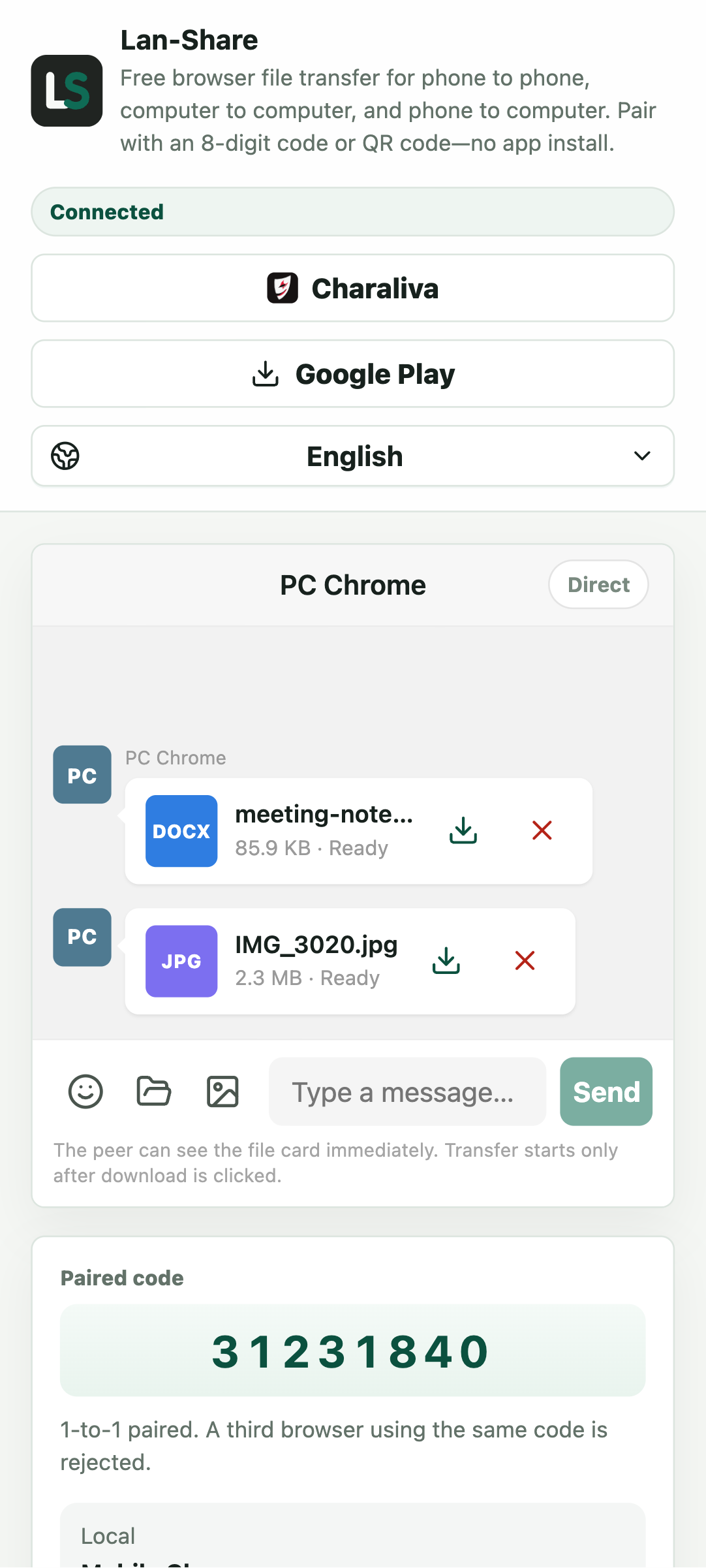
The phone's conversation turns the cards Ready. Tap the download icon and Android saves into Downloads, which the Files app opens directly.
The state of Snapdrop
Snapdrop still loads, but updates are rare and the open-source project sees mostly community patches. PairDrop, an actively maintained fork, carries much of the momentum. Both tools share the same model: every device on the network shows up in one list for everyone to see. That is friendly at home and less friendly in a dorm, an office, or a café.
What Lan-Share does differently
Pairing happens by code, not by broadcast: nobody sees your device until you share the 8-digit code or QR code with them. The receiver confirms every download before any bytes move. File content goes directly between the two browsers over the local network and is never stored on a server. There is no account, no app install, and the page works on the phone's hotspot when shared Wi-Fi is hostile.
When a Snapdrop-style tool is still fine
At home, sending a link or a photo between your own devices, Snapdrop and PairDrop remain perfectly serviceable. Choose Lan-Share when the network is shared with strangers, when you want an explicit receive confirmation, or when you want a tool under active development — open lan-share.com on both devices and you are pairing in seconds.
Troubleshooting
- The two devices never pair
Why it happens Guest Wi-Fi, VPN clients, and some routers isolate clients even on one network.
How to fix it Join the same main network on both, and turn the VPN off.
- The transfer stops when the screen locks
Why it happens Both iOS and Android suspend a backgrounded browser tab.
How to fix it Keep both pages in the foreground until the last file reads Downloaded.
- A file larger than the limit is refused
Why it happens The per-file limit is shown on the page, about 200 MB by default.
How to fix it Send it on its own in a fresh pairing after checking the stated limit.
- The received photo looks softer than the original
Why it happens Something in the chain re-encoded it — this route sends the stored bytes unchanged.
How to fix it Compare file sizes; if they match, the bytes are original.
FAQ
Is Snapdrop still working?
The site still loads at the time of writing, but development has slowed to community maintenance. PairDrop is the actively maintained fork. Lan-Share is an independently developed browser alternative with private code pairing.
What is the best Snapdrop alternative?
For the familiar everyone-in-a-room model, PairDrop. For private 8-digit pairing with a confirm-before-download step and active development, Lan-Share — no install, no account, works on hotspots.
Is Lan-Share more private than Snapdrop?
With Lan-Share your device is invisible until you exchange a pairing code, and the receiver confirms each download. Snapdrop lists every device on the network to everyone on it.
Does it work on public or shared Wi-Fi?
Networks that isolate devices from each other (common in hotels and cafés) block all browser-to-browser tools, Snapdrop included. The phone's personal hotspot works well as a private alternative network.
Do I need to install anything?
No. Lan-Share runs entirely in the browser on both devices, like Snapdrop — open the page, pair, send.